Transform Travel Photos: 5 Must-Have Editing Apps for Epic Pics You Need to Experience Before You Die
There I was, standing on the edge of a cliff in Bali, the sun dipping into the Indian Ocean, painting the sky in hues of orange, purple, and fiery red. It was the kind of moment that takes your breath away, the kind you know you’ll remember forever. I snapped a dozen photos with my phone, convinced I’d captured the magic. Later that night, scrolling through them, my heart sank a little. The photos were… fine. They didn't quite convey the vibrant spectacle, the sheer feeling of being there. The sky was a bit washed out, the shadows too dark, and a random tourist's head popped into the corner of what should have been my perfect silhouette shot.
Sound familiar? We’ve all been there. We travel to incredible places, witness breathtaking scenes, and capture them with our trusty smartphones, only to find the raw images fall a little flat. They lack that oomph, that professional polish that makes a photo truly sing.
But what if I told you that the difference between a "fine" photo and an "OMG, where is that?!" photo is often just a few taps away? Over years of globetrotting, from the bustling souks of Marrakech to the serene fjords of Norway, I’ve learned that the secret weapon of every savvy traveler isn't just a good camera – it's a powerful suite of photo editing apps right in their pocket.
These aren't just filters; these are tools that can rescue an underexposed sunset, remove an unwanted photobomber, or give your cityscape that dreamy, cinematic feel. They allow you to tell your travel story with the visual impact it deserves. And trust me, once you start using them, you'll wonder how you ever traveled without them. So, buckle up, because I'm about to unveil the photo editing apps that will transform your travel pics so dramatically, you'll feel like you're experiencing your adventures all over again, but better!
1. Adobe Lightroom Mobile: The Professional's Pocket Studio
Why it's a game-changer:
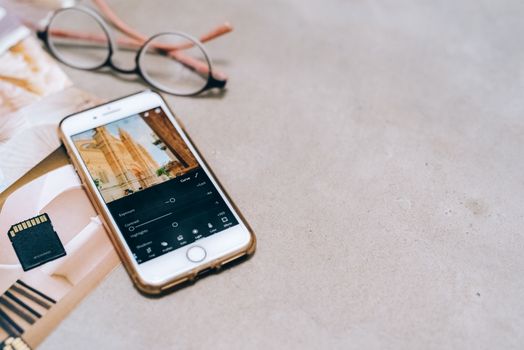
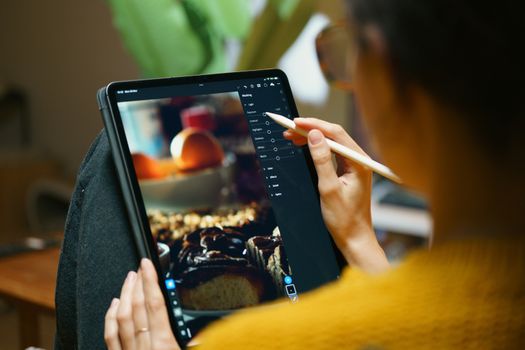
If you're serious about your travel photography and want professional-level control without lugging around a laptop, Lightroom Mobile is your holy grail. It's essentially a condensed version of the industry-standard desktop software, packed with powerful tools for color correction, exposure adjustments, selective edits, and more.
My story:
I remember my first trip to Iceland. Every vista was epic, but the weather was predictably moody and often overcast. My photos often looked flat and desaturated, failing to capture the dramatic blues of the glaciers or the vibrant greens of the mossy lava fields. That's where Lightroom Mobile became my best friend. I'd import my RAW files (yes, your phone can shoot RAW!), and then dive into the "Light" panel to adjust exposure and contrast, bringing out the hidden details in the shadows and highlights. The "Color" panel allowed me to boost the saturation of those blues and greens, making the landscapes truly pop, without looking artificial. I even used the "Healing Brush" to remove some distracting tourists from a shot of Skógafoss waterfall – a lifesaver!
Key Features You'll Love:
* RAW Editing: Unlocks the full potential of your phone's camera, giving you more data to work with.
* HSL/Color Mixer: Precise control over individual color hues, saturation, and luminance. Want to make the sky bluer without affecting skin tones? This is your tool.
* Selective Adjustments: Use brushes or radial/linear gradients to edit specific parts of your image (e.g., brighten a face, darken a sky) without affecting the whole photo.
* Presets: Apply one-tap edits for quick transformations, or create and save your own custom presets for a consistent look across all your travel photos.
* Geometry Tools: Fix skewed horizons or converging verticals (perfect for architecture shots!).
Price:
Free for basic editing features. A paid Adobe Creative Cloud subscription ($9.99/month for the Photography Plan) unlocks premium features like cloud storage, selective adjustments, and desktop sync, which is incredibly useful for serious photographers. For the value, it's worth every penny if you're committed to elevating your craft.
Pro Tip:
Start by adjusting the white balance to ensure accurate colors, then move to exposure and contrast. Only then dive into color grading. Don't be afraid to experiment with the "Profile" options for a quick stylistic shift!
2. Snapseed: Google's Free Magic Wand for Instant Perfection
Why it's a game-changer:
If Lightroom feels a bit intimidating, or you're looking for a powerful, intuitive, and completely free alternative, Snapseed is your answer. Developed by Google, it's an incredibly robust editor that offers professional-grade tools in a user-friendly interface. It’s perfect for quick, impactful edits on the go.
My story:
I was exploring the labyrinthine streets of Hoi An, Vietnam, captivated by the vibrant lanterns and ancient architecture. My phone camera, however, struggled with the dynamic range – bright lanterns were blown out, and the narrow alleys were too dark. Snapseed's "Tune Image" tool (specifically the "Ambiance" slider) worked wonders, intelligently brightening shadows and recovering highlights with a single swipe. And when I had a perfectly composed shot of a fishing boat but the colors were a bit dull, the "Details" tool (Structure and Sharpening) brought out the textures of the weathered wood and the reflections on the water, making the scene come alive. It's often my go-to for quick fixes that make a huge difference.
Key Features You'll Love:
* Tune Image: The ultimate all-in-one tool for brightness, contrast, saturation, ambiance, highlights, shadows, and warmth.
* Selective Adjustments: Pinpoint specific areas of your photo to adjust brightness, contrast, and saturation – a godsend for balancing tricky lighting.
* Healing: Magically remove small unwanted objects or blemishes with surprising accuracy.
* Perspective: Fix skewed lines and horizons, or even rotate and scale your image.
* HDR Scape & Drama: Add dramatic flair and detail to landscapes or cityscapes, transforming ordinary scenes into epic ones.
Price:
Free! Yes, truly free, with no hidden subscriptions or in-app purchases.
Pro Tip:
Don't overlook the "Selective" tool! It allows you to place control points on specific areas and adjust their brightness, contrast, and saturation independently. It’s incredibly powerful for balancing light in complex scenes, like a bright sky over a dark foreground.
3. VSCO: Curate Your Aesthetic Vibe
Why it's a game-changer:
VSCO isn't just an editing app; it's a lifestyle, a community, and a powerful tool for achieving a consistent, aesthetic look across your travel feed. If you crave those moody, film-like, or beautifully desaturated tones that dominate Instagram, VSCO is your secret weapon. It focuses heavily on its exquisite collection of film-inspired presets.
My story:
When I was backpacking through Europe, I wanted my photos to have a cohesive, slightly nostalgic feel, like a series of postcards from another era. My raw phone photos were all over the place in terms of color and tone. I discovered VSCO and its incredible array of filters (or "presets" as they call them). I found a few that resonated with my desired aesthetic – often A6 or C1 for that faded, vintage look – and applied them consistently. Then I'd fine-tune the exposure, contrast, and grain to really dial in the filmic quality. My entire feed transformed, telling a more unified visual story of my journey from Paris to Rome.
Key Features You'll Love:
* Extensive Preset Library: Hundreds of beautiful, film-inspired filters that instantly elevate your photos.
* Fine-Tune Adjustments: Beyond presets, you get a full suite of editing tools (exposure, contrast, saturation, sharpness, grain, fade, split tone, etc.) to customize your look.
* Recipe Saving: Save your favorite combinations of edits and presets as "recipes" for one-tap application to future photos, ensuring consistency.
* Journal & Community: Share your edited photos within the VSCO community and get inspired by other creators.
Price:
Free for a basic set of presets and editing tools. VSCO X membership ($29.99/year or $7.99/month) unlocks the entire preset library, advanced editing tools, and weekly content. For serious aesthetic seekers, it's a worthy investment.
Pro Tip:
Don't just slap a preset on and call it a day! After applying your chosen VSCO preset, always go back and fine-tune the intensity, and then adjust exposure, contrast, and white balance to suit your specific photo. Adding a touch of "Grain" can also enhance that authentic film look.
4. TouchRetouch: Making Distractions Disappear
Why it's a game-changer:
You've found the perfect shot – the majestic Taj Mahal, the serene beaches of the Maldives, the bustling markets of Istanbul. But then you notice it: a stray power line, an unsightly trash can, or worst of all, a random person walking into your frame. TouchRetouch is the superhero app designed specifically to make those unwanted elements vanish, seamlessly.
My story:
I was in Kyoto, Japan, trying to capture the serene beauty of a traditional garden. Every shot was perfect, except for the bright red fire extinguisher mounted on a wall in the background. It was a jarring modern element in an otherwise timeless scene. I opened TouchRetouch, used the "Object Removal" tool, painted over the fire extinguisher, and with a tap, it was gone! The app intelligently filled in the background, making it look like it was never there. This app has saved countless photos from being relegated to the "almost perfect" folder, especially in crowded tourist spots.
Key Features You'll Love:
* Object Removal: The star feature. Simply brush over any unwanted object, and the app intelligently reconstructs the background.
* Line Removal: Perfect for power lines, fences, or other linear distractions.
* Spot Removal: Quick fixes for small blemishes, dust spots, or tiny distractions.
* Clone Stamp: For more precise removals or duplicating textures to fill in larger areas.
Price:
A one-time purchase of around $1.99 - $2.99, depending on your app store. Absolutely worth every penny for the magic it performs.
Pro Tip:
Zoom in close when using the object removal tool to ensure precision. For complex backgrounds, you might need to make several small, precise strokes rather than one large one. Patience is key for seamless results!
5. PicsArt: Your Creative Hub for Fun & Flair
Why it's a game-changer:
While the previous apps focus on refining and enhancing, PicsArt is where you go when you want to get truly creative. It’s an all-in-one powerhouse for photo editing, collage making, drawing, and adding artistic effects. If you want to add stickers, text, dramatic overlays, or even swap skies, PicsArt has you covered.
My story:
After a stunning but somewhat cloudy day exploring the Cliffs of Moher in Ireland, I had some great photos, but the sky was a bit flat. I wanted to add a touch of drama. Using PicsArt’s "Sky" tool, I was able to replace the dull grey with a more vibrant, moody sky, instantly transforming the atmosphere of the shot. Another time, after a food tour in Rome, I created an epic collage of all the delicious dishes I’d eaten, adding fun stickers and text overlays before sharing it on my Instagram stories. It's my go-to for making my travel memories more playful and engaging beyond simple photo correction.
Key Features You'll Love:
* Extensive Editing Tools: All the basics like exposure, contrast, saturation, and filters.
* Magic Effects & Artistic Filters: Transform your photos into paintings, sketches, or other artistic styles.
* Stickers & Text: A massive library of stickers and fonts to personalize your photos and collages.
* Cutout Tool: Easily remove backgrounds or isolate subjects.
* Sky Replacement: Instantly swap out a boring sky for something more dramatic or beautiful.
* Collage Maker: Create stunning photo grids and collages with ease.
Price:
Free with in-app ads and purchases. PicsArt Gold subscription ($4.67/month or $55.99/year) unlocks premium features, removes ads, and grants access to exclusive content.
Pro Tip:
Don't go overboard with the creative effects. Use them sparingly to enhance your travel story, not overshadow it. The cutout tool is fantastic for creating unique double exposures or adding yourself into fun scenes!
My Personal Workflow & Pro Tips for Viral Travel Pics
Now that you know the tools, here’s how I typically approach editing my travel photos to ensure they’re not just good, but share-worthy:
- Shoot Smart, Edit Smarter: Always try to shoot in good light. Golden hour (sunrise/sunset) is your best friend. If your phone supports it, shoot in RAW format for maximum editing flexibility (Lightroom Mobile excels here!).
- The "Fix-It" First (Snapseed/TouchRetouch): Before any creative edits, I tackle any fundamental issues.
- Cropping & Straightening: Snapseed's "Perspective" tool or Lightroom's crop tool to ensure horizons are level and composition is strong.
- Object Removal: If there's a distracting element, TouchRetouch is my first stop.
- The "Enhance" Phase (Lightroom Mobile/Snapseed): This is where I bring out the natural beauty.
- Exposure & Contrast: Correcting brightness and depth.
- White Balance: Ensuring colors are accurate.
- Colors (HSL): Fine-tuning specific colors to make skies bluer, greens lusher, or sunsets more vibrant without overdoing it.
- Details: A touch of sharpening to make things crisp.
- The "Style" Phase (VSCO/Lightroom Presets): Now, I think about the vibe.
- I'll apply a favorite VSCO preset or a custom Lightroom preset to give the photo a consistent look and feel across my feed.
- Then, I'll adjust the preset's intensity and fine-tune individual settings (like fade or grain) to make it perfect for that specific photo.
- The "Creative Flair" (PicsArt): If the photo needs an extra pop for a specific story or post:
- Adding text, stickers, or a dramatic sky replacement.
- Creating a collage for a roundup of experiences.
- Don't Over-Edit! The goal is to enhance, not to create something completely artificial. A little goes a long way. If your photo looks fake, dial it back. Natural beauty, elevated, is always the goal.
- Develop Your Signature Style: Experiment with different apps and techniques. Over time, you'll find a style that's uniquely you. This consistency will make your travel feed instantly recognizable and more engaging.
- Hashtag Power: When sharing, use a mix of broad and niche hashtags. Think #TravelPhotography, #ExploreTheWorld, #ItalyTravel, #SunsetLover, #MobilePhotography, #Tripsora.
Your Visual Story Awaits!
The world is a canvas, and your travels are your masterpiece. Don't let your incredible experiences be confined to dull, uninspired photos. These photo editing apps are more than just tools; they're your passport to preserving and sharing the magic of your adventures in a way that truly reflects how you experienced them. They allow you to transform fleeting moments into lasting visual stories that inspire, evoke wanderlust, and connect with others.
So, download these apps, start experimenting, and unleash the full potential of your travel photos. Your next viral post is just a few taps away. Go forth, explore, capture, and most importantly, transform!
What are YOUR favorite travel photo editing apps? Share your tips and tricks in the comments below, and don't forget to tag #Tripsora and #TripsoraEdits on Instagram with your transformed travel pics – we can't wait to see them!
---