Oh, the bittersweet moment of returning home from an epic adventure! You’re buzzing with memories – the dizzying heights of Machu Picchu, the vibrant chaos of a Moroccan souk, the serene blues of the Maldives. You excitedly upload your photos, ready to relive every single second… and then it hits you. That stunning sunset over the Aegean Sea looks a little dull. The ancient Roman ruins are shrouded in a strange haze. And that perfectly plated pasta in Florence? It just doesn’t pop like it did on your plate.
Sound familiar? Trust me, it’s a universal travel photography struggle. For years, I’d come home, sift through thousands of photos, and feel a pang of disappointment. My camera, often just my phone, hadn't quite captured the magic my eyes had witnessed. I’d sigh, post a few 'good enoughs,' and tuck the rest away.
Then, a few years ago, on a particularly challenging shoot in the bustling markets of Marrakech – where the light was constantly shifting, and colors often looked muted under the harsh sun – a fellow travel blogger shared her secret weapon. It wasn't a fancy new lens or a professional camera body. It was a handful of mobile photo editing apps. My mind was blown.
What I learned that day, and have embraced wholeheartedly ever since, is that photo editing isn't about faking reality; it's about enhancing it. It's about recovering the colors your camera missed, correcting the lighting your eye naturally adjusted for, and giving your memories the vibrant life they deserve. And the best part? You don't need a degree in graphic design or expensive desktop software. The power is literally in your pocket.
Today, I’m pulling back the curtain and sharing the photo editing apps that are currently trending, transforming travel pics, and making every single one of my Tripsora posts sing. These are the tools I swear by, the ones that have saved countless "ruined" photos and elevated my travel content to new heights. Get ready to make your friends wonder if you secretly hired a professional photographer!
---
1. The Professional Powerhouse: Adobe Lightroom Mobile (Free with Premium Features)
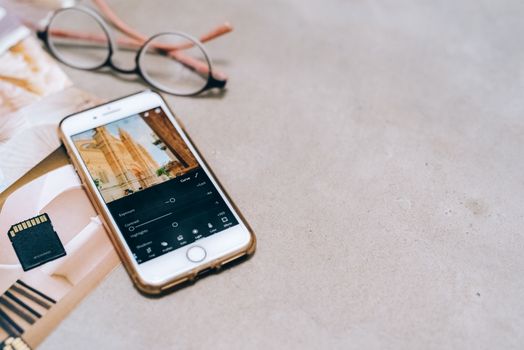
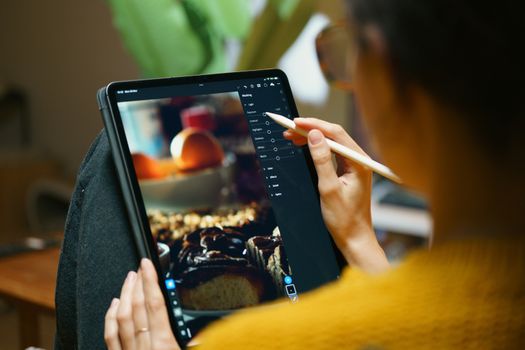
If there's one app that truly changed my photography game, it's Adobe Lightroom Mobile. This isn't just an app; it's a portable darkroom that brings professional-grade editing to your fingertips. Don't be intimidated by the "Adobe" name – it's surprisingly user-friendly once you get the hang of it.
Why it's trending:
Lightroom Mobile has become the industry standard for travel photographers and influencers because of its robust features, non-destructive editing (meaning your original photo is always safe), and the ability to sync with its desktop counterpart if you have a Creative Cloud subscription. Its trending status is also heavily influenced by the rise of presets (more on those later!), which are essentially one-click filters that apply a consistent look to your photos.
My Personal Take:
I remember being on a sunrise shoot at Angkor Wat in Cambodia. The light was ethereal, but my phone struggled to capture both the vibrant sky and the intricate details of the temple. I thought I’d lost the shot. Back at my guesthouse, I pulled the photo into Lightroom Mobile. With a few tweaks to exposure, highlights, and shadows, and then a slight bump in clarity and vibrance, the photo came alive. I could even selectively brighten the temple while keeping the sky dramatic. It was a revelation!
Practical Tips for Travelers:
* Exposure & Contrast: These are your first stops. Correcting these can instantly make a photo pop. Don’t be afraid to pull down highlights to recover detail in bright skies or push up shadows to reveal details in darker areas.
* White Balance: This is crucial for accurate colors. If your photo looks too blue (cool) or too orange (warm), adjust the temperature and tint sliders until the colors look natural. This saved my food photos in Vietnam from looking sickly green!
* Selective Edits: This is where Lightroom truly shines. Use the brush, radial, or linear gradient tools to apply edits to specific parts of your image. Want to brighten just your face in a portrait? Or darken an overly bright sky without affecting the foreground? This is your tool.
* Healing Brush: Need to remove a small dust spot or a distracting element? The healing brush is surprisingly effective on mobile.
Price:
Free for most essential editing tools. A premium subscription ($4.99/month for mobile, or included with Adobe Creative Cloud plans) unlocks cloud storage, selective editing, RAW file support, and advanced healing. For serious travel photographers, it's worth every penny.
---
2. The Intuitive Innovator: Snapseed (Free)
If Lightroom feels a little daunting to start, Snapseed is your gentle, yet incredibly powerful, introduction to mobile photo editing. Developed by Google, it's renowned for its intuitive interface and a fantastic suite of tools that are easy to master.
Why it's trending:
Snapseed is a long-standing favorite, and it continues to trend because it offers professional-level control without the complexity. Its unique swipe-based interface makes adjustments incredibly fast, and its AI-powered tools are getting smarter all the time. It’s perfect for quick fixes and creative enhancements on the go.
My Personal Take:
I was once trying to get a clear shot of the iconic Santorini caldera, but a random tourist kept walking into my frame. Annoying, right? I took the photo anyway, hoping for the best. Later, with Snapseed’s "Healing" tool, I was able to meticulously remove the person from the background. It took a bit of patience, but the result was seamless. It literally saved my postcard-perfect shot! Another time, I used its "Perspective" tool to straighten a slightly tilted photo of the Eiffel Tower, making it look perfectly aligned.
Practical Tips for Travelers:
* Tune Image: This is your go-to for basic adjustments like brightness, contrast, saturation, and ambiance. The "Ambiance" slider is particularly good at making photos pop subtly.
* Healing: As mentioned, this is fantastic for removing unwanted objects or blemishes. Zoom in for precision!
* Selective: Similar to Lightroom, this allows you to place points on your image and adjust brightness, contrast, and saturation only in that area. Super handy for brightening a dark face or making a specific color more vibrant.
* Brush: Use this to "paint" effects onto your image, such as dodging & burning (lightening/darkening specific areas), exposure, or temperature adjustments.
* HDR Scape: This can add dramatic detail and a painterly effect to landscapes, especially useful for cityscapes or nature shots that need a little extra punch.
Price:
Completely free! No hidden costs, no subscriptions. It’s an absolute must-have for every traveler.
---
3. The Aesthetic Architect: VSCO (Free with Premium Filters)
VSCO (pronounced "vis-co") isn't just an editing app; it's a lifestyle. It’s famous for its beautiful, film-inspired filters and a vibrant community where users share their edited photos. If you're looking to achieve a consistent, artistic aesthetic for your travel feed, VSCO is your best friend.
Why it's trending:
VSCO continues to be a trendsetter because its filters aren't just one-size-fits-all. They're designed to emulate classic film stocks, offering a nuanced, timeless quality that stands out from generic phone filters. Its constant updates with new presets and editing tools keep it fresh and relevant for those seeking a distinct visual brand.
My Personal Take:
I was exploring the ancient city of Petra in Jordan, and the rose-red sandstone against the bright sky was magnificent. My photos, however, looked a bit flat. I wanted to evoke a sense of timelessness and mystery. I opened VSCO, applied one of their classic film presets (like the A6 or C1), and then fine-tuned the grain and fade. Suddenly, my photos had that rich, moody, almost cinematic quality I was aiming for. It transformed a simple snap into a piece of art that felt like it belonged in a travel magazine.
Practical Tips for Travelers:
* Explore Presets: VSCO's strength lies in its diverse range of presets. Experiment with different collections (A, C, E, F, M series are popular) to find a style that resonates with your travel vibe. Start with the free ones, then consider the VSCO membership for hundreds more.
* Fine-Tune Filters: Don't just apply a filter and be done. Adjust its intensity to suit your photo. Then, dive into the basic editing tools (exposure, contrast, saturation, sharpness) to perfect the image.
* Grain & Fade: These are VSCO's signature tools for achieving that authentic film look. Use them subtly to add character and depth to your travel photos.
* Hues: VSCO offers fantastic control over individual color hues, allowing you to shift the tones of greens, blues, oranges, etc., which is brilliant for perfecting landscapes or vibrant market shots.
Price:
Free for a selection of basic filters and editing tools. A VSCO Membership ($29.99/year or $7.99/month) unlocks hundreds of additional presets, advanced editing features, and exclusive content.
---
4. The AI Magician: Lightleap by Lightricks (Formerly Enlight Quickshot) (Free with Premium Features)
Sometimes, Mother Nature doesn't cooperate. Overcast skies, harsh shadows, or just a generally "meh" background can ruin an otherwise perfect shot. Enter Lightleap, an app that leverages artificial intelligence to perform seemingly impossible transformations.
Why it's trending:
Lightleap is trending because it makes complex edits incredibly simple, especially its sky replacement feature. AI is a huge buzzword in tech, and Lightleap exemplifies how it can democratize advanced photo editing, allowing anyone to achieve dramatic results with just a few taps.
My Personal Take:
I was on a boat tour in the Norwegian fjords, and the scenery was breathtaking. However, the day was incredibly overcast and grey. My photos of the majestic cliffs and waterfalls lacked the drama I felt. Later, back on solid ground, I opened Lightleap. I used its "Sky" feature, and within seconds, I swapped the dull grey with a dramatic, moody sky complete with swirling clouds. The AI seamlessly blended the new sky with the landscape, even reflecting it realistically in the water! It felt like cheating, but the result was undeniably stunning and truly captured the feeling of the fjords, even if the original sky wasn't cooperating.
Practical Tips for Travelers:
* Sky Replacement: This is Lightleap's killer feature. If you have a decent horizon line, the app can replace a bland sky with a beautiful sunset, starry night, or dramatic cloudscape. Experiment with different sky options to find the most natural fit.
* Heal: Similar to Snapseed, its healing tool is great for removing unwanted objects or people.
* Look: This section offers a variety of filters and effects that go beyond basic color correction, adding artistic flair like light leaks, lens flares, or unique color grading.
* Elements: Add weather effects like rain, snow, or fog to create a specific mood. Use sparingly to avoid an artificial look.
Price:
Free for basic edits and a limited selection of skies/elements. A premium subscription ($5.99/month or $35.99/year) unlocks all skies, elements, and advanced features.
---
5. The Detail Doctor: TouchRetouch (Paid - One-time purchase)
This app is a niche hero, but for travel photographers, it’s an absolute lifesaver. TouchRetouch specializes in one thing: removing unwanted objects from your photos, and it does it exceptionally well.
Why it's trending:
In an age where every travel photo needs to be Instagram-perfect, the ability to effortlessly remove photobombers, power lines, or stray rubbish is invaluable. TouchRetouch consistently delivers superior object removal compared to general-purpose apps, making it a trending favorite for achieving clean, uncluttered shots.
My Personal Take:
I once took a magnificent shot of the ancient Roman Forum, but an unsightly modern lamppost was smack in the middle of my frame. I thought the photo was ruined. I remembered hearing about TouchRetouch. I zoomed in, traced over the lamppost with my finger, and like magic, it vanished, seamlessly replaced by the background. It was mind-bogglingly good. On another occasion, a beautiful beach shot in Thailand was marred by a rogue plastic bottle. Gone in seconds! This app has saved more landscape and architectural shots for me than I can count.
Practical Tips for Travelers:
* Object Removal: This is the primary tool. Use your finger to highlight the object you want to remove. The app’s algorithm will analyze the surrounding pixels and intelligently fill in the gap.
* Line Removal: Perfect for getting rid of power lines, telephone wires, or fences that cut across your beautiful landscapes.
* Quick Repair: For small imperfections or blemishes, this tool works wonders with a single tap.
* Clone Stamp: For more complex removal tasks, the clone stamp allows you to manually copy pixels from one area of your photo to another, giving you ultimate control.
Price:
A one-time purchase of $1.99-$2.99 (prices may vary slightly by region/platform). No subscriptions, just pure magic. Worth every penny!
---
6. The All-Rounder for Quick Edits: Google Photos (Free)
While not strictly a dedicated photo editor in the same vein as Lightroom or Snapseed, Google Photos is an indispensable tool for every traveler due to its powerful organization, backup, and surprisingly capable editing features.
Why it's trending:
Google Photos is trending because it's ubiquitous, free, and constantly integrating cutting-edge AI features. Its "Magic Eraser" and advanced auto-enhance capabilities make it incredibly easy for casual travelers to elevate their photos with minimal effort, all while keeping their memories safely backed up.
My Personal Take:
I was hiking in Patagonia, and my hands were often too cold or too busy to do extensive editing on the fly. I'd snap dozens of photos, knowing that Google Photos would automatically back them up and, often, suggest "enhanced" versions. I've been pleasantly surprised by how often its auto-enhance feature makes a photo just right – brightening shadows, boosting colors, and correcting white balance, all with a single tap. The Magic Eraser has also been a godsend for quickly zapping out a distracting person from the background of a beautiful mountain vista. It’s my go-to for quick shares to family and friends before I dive into more detailed edits.
Practical Tips for Travelers:
* Auto Enhance: Don't underestimate this one-tap wonder. Google's AI is incredibly smart and can often make immediate, impactful improvements to your photos.
* Adjustments: You have access to basic sliders for brightness, contrast, saturation, white balance, and more. It’s perfect for quick tweaks.
* Magic Eraser: This is Google's answer to object removal, and it’s getting incredibly good. Simply circle or brush over unwanted objects or people, and watch them disappear.
* Portrait Light: For photos with people, you can adjust the lighting on faces, adding or moving light sources to improve portraits.
* Backup & Organization: Beyond editing, Google Photos is unparalleled for automatically backing up your travel photos and organizing them by date, location, and even faces.
Price:
Free for unlimited storage of "storage saver" quality photos (slightly compressed) or 15 GB of high-quality storage (shared with Gmail and Drive). Paid plans are available for more storage.
---
The Secret Sauce: Presets – Your Express Ticket to a Signature Style
I mentioned presets earlier, and they deserve their own spotlight. A preset is essentially a pre-configured set of editing adjustments (like exposure, contrast, color grading, sharpness) that you can apply to your photos with a single tap.
Why they're trending:
Presets are the ultimate time-saver and style-maker for travel bloggers and anyone wanting a cohesive, professional-looking feed. They allow you to achieve a consistent aesthetic across all your travel photos, making your Instagram grid look polished and intentional. You'll find thousands of presets for sale on platforms like Etsy, from travel influencers, or even built into apps like VSCO and Lightroom.
My Personal Take:
When I first started blogging, my feed was a chaotic mess of different styles. One photo was vibrant, the next moody, the next desaturated. It wasn't until I invested in a few travel-specific preset packs for Lightroom Mobile that my feed truly started to look like "mine." I found a pack that gave my landscapes a warm, earthy tone and made blues pop, and another that gave my cityscapes a sleek, cinematic feel. Now, I apply a preset, make a few minor adjustments, and my photos instantly have that consistent, Tripsora-approved look. It saves me hours of editing time!
Practical Tips for Travelers:
* Find Your Style: Browse Instagram, Pinterest, and travel blogs. What aesthetics do you love? Do you prefer bright and airy, dark and moody, warm and earthy, or cool and crisp?
* Invest Wisely: Many influencers sell their custom presets. Read reviews, look at before-and-after examples, and choose packs that genuinely align with the look you want to achieve for your travel photos.
* Customize: Remember, a preset is a starting point, not the final destination. Always fine-tune the preset’s intensity and make individual adjustments (exposure, white balance) to suit each specific photo.
* Learn to Create Your Own: Once you get comfortable with an app like Lightroom Mobile, try creating your own preset from an edit you love. It’s incredibly satisfying!
---
Ready to Transform Your Travel Pics?
Editing your travel photos isn't about chasing perfection or manufacturing fake realities. It's about honoring the incredible moments you experienced, bringing out the true beauty your eyes saw, and sharing those memories in the most captivating way possible. These trending apps put professional-grade tools right in your pocket, making it easier than ever to turn your vacation snapshots into works of art.
So, next time you're back from a trip, don't just dump your photos onto a hard drive. Pick one of these apps, experiment, and unleash your inner photo wizard! You'll be amazed at the magic you can create.
What are your go-to travel photo editing apps? Have you discovered a hidden gem that’s transforming your pics? Share your favorites and your best editing tips in the comments below! Let's inspire each other to make every travel memory shine!
---