Alright, fellow adventurers and memory-makers, let's get real for a second. You’ve just witnessed the most breathtaking sunset over Santorini, the vibrant chaos of a Moroccan souk, or the serene majesty of the Canadian Rockies. You pull out your phone, snap that perfect shot… and then, when you look at it later, it’s… well, it’s fine. It’s okay. But it doesn’t quite capture the goosebumps, the vivid colors, the sheer feeling of being there.
Sound familiar? Trust me, I’ve been there. My early travel albums are a graveyard of slightly blurry, oddly-lit, and utterly underwhelming photos that barely hinted at the incredible experiences they were supposed to represent. I remember standing at the edge of the Grand Canyon, feeling utterly dwarfed by its scale, only to look at my phone screen and see a flat, uninspired image. It was disheartening.
Then, a few years ago, while backpacking through Southeast Asia, I had an epiphany. I watched a fellow traveler, a young woman from Australia, effortlessly transform a dull, overcast shot of Angkor Wat into a moody, atmospheric masterpiece, all from her phone. My mind was blown. It wasn't about having a fancy DSLR (though those are great!); it was about knowing the secrets of mobile photo editing.
Since then, I’ve embarked on my own journey through the ever-evolving world of photo editing apps. I’ve tested, tweaked, loved, and sometimes hated countless options, all in pursuit of making my travel memories shine as brightly as they do in my mind. And guess what? The tools available today are more powerful, intuitive, and downright magical than ever before. You don't need to be a professional photographer or a tech wizard; you just need the right app and a few insider tips.
So, buckle up, because today we’re diving deep into the photo editing apps that are trending right now, transforming ordinary travel pics into viral-worthy visual stories. Get ready to elevate your Instagram game, impress your friends, and most importantly, truly immortalize your incredible adventures.
From "Meh" to "Magnificent": Why Photo Editing is Your Travel Superpower
Before we jump into the apps, let's clarify why photo editing is so crucial for travelers. It's not about fabricating reality; it's about revealing it. Our phone cameras, while incredible, often can’t fully replicate what our eyes see. Harsh light, shadows, screen glare, or even just the limitations of a small sensor can flatten a vibrant scene.
Editing allows you to:
* Correct imperfections: Fix exposure, white balance, crop out distractions.
* Enhance natural beauty: Boost colors, sharpen details, add depth.
* Create a mood: Give your photos a consistent aesthetic, tell a visual story.
* Stand out: In a crowded digital world, a well-edited photo grabs attention and stops the scroll.
Think of it as adding the finishing touches to a masterpiece. The raw ingredients are there – your amazing travel experience – but a little polish makes it truly sparkle.
The Heavy Hitters: Pro-Level Power in Your Pocket
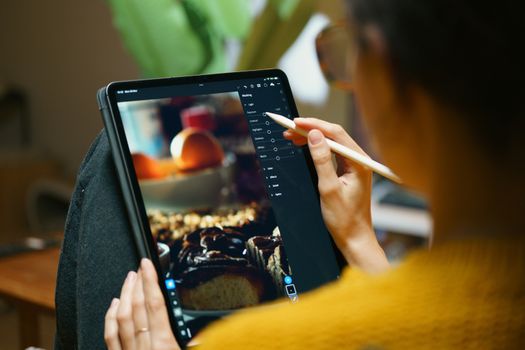
These are the apps for when you want serious control, professional results, and don't mind a slight learning curve for incredible rewards. They're often compared to desktop software like Photoshop and Lightroom but optimized for mobile.
1. Adobe Lightroom Mobile: The Industry Standard, On-the-Go
What it is:
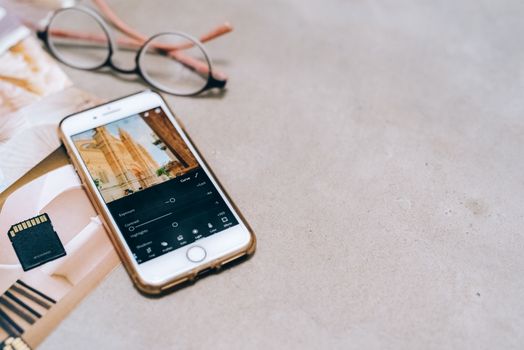
The mobile version of Adobe's industry-leading photo editor. It offers robust organization, powerful RAW file editing, and advanced adjustment tools.
Why it's trending: Its seamless integration with desktop Lightroom (if you have a subscription) and its incredible power for color grading and precise adjustments make it a favorite among serious mobile photographers and influencers. Plus, the ability to sync presets across devices is a game-changer.
My personal take: Lightroom Mobile is my absolute go-to for serious edits. I remember a trip to Iceland where the weather was, shall we say, moody. My photos of black sand beaches and glacial lagoons often came out flat and grey. With Lightroom, I could pull out the deep blues of the ice, add contrast to the dramatic skies, and enhance the texture of the volcanic rock. The selective adjustment tools (radial and linear gradients, brush tool) are fantastic for brightening a face in shadow or darkening an overexposed sky without affecting the rest of the image.
Key Features:
* RAW editing: Retain maximum detail and flexibility.
* Presets: Apply one-tap edits or create your own. You can even buy professional presets from photographers (many are around $20-$50 for a pack) to give your entire travel gallery a consistent, stunning look.
* Selective adjustments: Precisely edit specific areas of your photo.
* Healing brush: Remove small distractions (like an unwanted tourist in the background of your perfect shot of the Colosseum!).
* Cloud sync: Access your edits across all your devices.
Price: Free for basic features; Premium subscription ($4.99/month or part of Adobe Creative Cloud) unlocks advanced tools, cloud storage, and RAW editing.
Pro Tip: Learn to use the "Curves" tool. It looks intimidating, but it gives you unparalleled control over brightness and contrast, allowing for truly customized looks beyond simple sliders.
2. Snapseed: Google's Free Powerhouse
What it is:
A comprehensive, free photo editing app developed by Google, known for its intuitive interface and powerful tools.
Why it's trending: It's free, incredibly robust, and surprisingly easy to use for the power it offers. Many pros swear by it for quick, impactful edits on the fly.
My personal take: Snapseed was my gateway drug into serious mobile editing. Before Lightroom, this was my workhorse. I once had a fantastic shot of a street food vendor in Bangkok, but the colors were a bit washed out from the harsh midday sun. Snapseed's "Tune Image" and "Details" tools brought it to life, making the food look mouth-wateringly vibrant and the textures pop. Its "Selective" tool is brilliant for adjusting brightness, contrast, and saturation in tiny, specific areas, which is perfect for bringing out details in a complex scene.
Key Features:
* 29 tools and filters: From basic tuning to advanced perspective correction.
* Selective adjustment: Target specific areas with extreme precision.
* Healing: Remove unwanted objects or blemishes.
* Brush tool: Apply effects to specific parts of your image.
* Non-destructive editing: Go back and adjust any step of your edit.
Price: Free.
Pro Tip: Don't overlook the "Perspective" tool. It's a lifesaver for correcting skewed lines in architectural photos (think leaning skyscrapers or wonky temple pillars).
The Artistic Alchemists: Crafting Moods and Aesthetics
These apps are all about creating a specific vibe, applying beautiful filters, and giving your photos a cohesive, artistic aesthetic. Perfect for curating a stunning Instagram feed.
3. VSCO: The OG of Aesthetic Filters
What it is:
A popular photo and video editor known for its high-quality, film-inspired filters (called presets) and minimalist design.
Why it's trending: VSCO has been a trendsetter for years, and its timeless film-like aesthetics continue to dominate feeds. It's perfect for achieving a consistent, curated look across your travel photos, whether you're going for vintage, moody, bright, or airy.
My personal take: VSCO transformed my travel feed from a chaotic mix of styles into something cohesive. I used it religiously during a road trip through Portugal, applying a consistent preset (usually A6 or C1) to all my photos – from the vibrant tiles of Lisbon to the dramatic cliffs of the Algarve. It made my entire album feel like a beautifully curated story. The subtle grain and desaturated tones of many VSCO presets can give your photos an authentic, almost nostalgic feel.
Key Features:
* Extensive preset library: Hundreds of filters, many mimicking classic film stocks.
* Advanced editing tools: Fine-tune exposure, contrast, saturation, grain, and more.
* Recipe function: Save your favorite edit combinations for quick application.
* Community features: Discover and share photos with other creators.
Price: Free for basic features and a selection of presets; VSCO X subscription ($29.99/year) unlocks the full preset library and advanced tools.
Pro Tip: Experiment with the "Grain" and "Fade" tools. A touch of grain can add a lovely filmic quality, and fade can soften highlights and shadows for a dreamy look.
4. A Color Story: Bright, Bold, and Beautiful
What it is:
An editing app focused on enhancing colors, brightening images, and creating vibrant, clean aesthetics.
Why it's trending: While VSCO leans towards moody and filmic, A Color Story is all about making colors pop, whites bright, and generally creating a joyful, lively aesthetic. It's a favorite for lifestyle bloggers and those who love a clean, modern look.
My personal take: When I want my photos to feel energetic and happy, A Color Story is my pick. I used it heavily for my Bali trip photos – think lush green rice terraces, vibrant fruit smoothie bowls, and turquoise waters. The "Pop" and "Fresh" filter packs are brilliant for this. It also has a fantastic "Curves" tool that's a bit more user-friendly than Lightroom's if you're just starting out with advanced color grading.
Key Features:
* Hundreds of filters: Focused on vibrant colors, bright whites, and clean edits.
* Customizable filters: Adjust the intensity of any filter.
* Advanced tools: Curves, HSL (Hue, Saturation, Luminance) sliders for precise color control.
* Effects: Light leaks, flares, color washes.
Price: Free for basic features and a few filter packs; extensive in-app purchases for additional filter packs (typically $0.99-$4.99 each) or an "All Access" subscription ($24.99/year).
Pro Tip: Use the "Whites" and "Clarity" tools in combination to make your bright areas truly sparkle and add definition without over-sharpening.
The Quick Fix & Fun Makers: Instant Magic for Social Sharing
These apps are fantastic for speedy edits, adding fun elements, creating collages, and getting your photos social-media-ready in minutes.
5. PicsArt: The All-in-One Creative Playground
What it is:
A hugely popular app that's a photo editor, collage maker, drawing tool, and social network all rolled into one.
Why it's trending: Its sheer versatility and constant updates with trending features (like AI effects and stickers) make it a go-to for anyone wanting to do more than just basic edits.
My personal take: PicsArt is my secret weapon for creating engaging Instagram Stories or travel montages. I once made an epic collage of my desert safari in Dubai, combining photos of sandboarding, camel riding, and the sunset, then added some cool text overlays and stickers, all within minutes. It’s also amazing for creating double exposures or adding artistic effects that other apps don’t offer. If you want to get truly creative and have fun with your photos, this is the app.
Key Features:
* Extensive editing tools: Basic adjustments, effects, filters, beauty tools.
* Collage maker: Create stunning photo grids and freestyle collages.
* Stickers & Text: Thousands of customizable stickers and fonts.
* Drawing tools: Doodle directly on your photos.
* AI effects: Turn photos into cartoons, apply trendy styles, remove backgrounds.
* Remove Background: Excellent for isolating subjects.
Price: Free with ads and basic features; PicsArt Gold subscription ($4.66/month or $55.99/year) removes ads and unlocks all premium features.
Pro Tip: The "Remove Background" tool is fantastic for creating cut-out images of yourself or objects, which you can then layer onto other photos or colorful backgrounds for a unique effect.
6. Facetune (and Facetune Video): For the Perfect Travel Selfie
What it is:
Primarily known for its powerful selfie and portrait retouching tools, Facetune has evolved to offer general photo editing features as well.
Why it's trending: Let's be honest, sometimes you want to look your best in front of that iconic landmark. Facetune allows for subtle (or not-so-subtle) enhancements to make sure you're picture-perfect, even after a long-haul flight.
My personal take: While I don't use it for every photo, Facetune has saved a few travel selfies for me. That time I was hiking in Patagonia, and my hair was a mess, and I had tired eyes? A quick touch-up with Facetune made me look refreshed enough for the camera. It's also surprisingly good for quick background blurs if your portrait mode didn't quite nail it.
Key Features:
* Skin smoothing & blemish removal: Achieve flawless skin.
* Reshape & Refine: Subtle adjustments to facial features or body.
* Whiten teeth & brighten eyes: Enhance your smile and gaze.
* Hair color & details: Change hair color or add volume.
* Background blur: Mimic professional bokeh.
Price: Free with basic features; Facetune VIP subscription ($7.99/month or $35.99/year) unlocks all premium tools.
Pro Tip: Use the tools sparingly for a natural look. A little goes a long way! The "Patch" tool is excellent for removing small, unwanted elements in the background, not just on faces.
Beyond the Basics: Niche Tools for Specific Magic
Sometimes, you need a specialized tool for a particular editing challenge. These apps fill those gaps brilliantly.
7. TouchRetouch: The Ultimate Object Remover
What it is:
A dedicated app for quickly and seamlessly removing unwanted objects, distractions, or blemishes from your photos.
Why it's trending: It does one thing, and it does it exceptionally well. No more waiting for that tourist to move out of your perfect shot of the Eiffel Tower!
My personal take: This app is a lifesaver. I once captured a stunning view of a secluded beach in Thailand, but a stray plastic bottle had unfortunately washed ashore. Using TouchRetouch, I effortlessly "painted" over it, and poof, it was gone, leaving behind a pristine, untouched paradise. It’s also fantastic for removing power lines from scenic landscapes or distracting signs.
Key Features:
* Object Removal: Use a brush or lasso tool to highlight unwanted elements.
* Line Removal: Easily erase power lines, fences, or other linear distractions.
* Quick Repair: For small blemishes or spots.
* Clone Stamp: Manually copy pixels from one area to another.
Price: One-time purchase, typically $1.99-$2.99.
Pro Tip: For best results, zoom in close and use small, precise strokes when painting over objects. Give the app a moment to process for the most seamless removal.
8. SkyEdit (or similar AI sky replacement apps): Instant Drama
What it is:
Apps that use AI to detect and replace dull, overcast skies with dramatic, colorful, or starry ones.
Why it's trending: The ability to completely transform the mood of a landscape photo with a single tap is incredibly powerful and visually striking.
My personal take: I was skeptical at first, but after a rainy day in Scotland left my otherwise stunning castle photos with a bland, grey sky, I tried a sky replacement app. The result was genuinely breathtaking. Suddenly, the castle was silhouetted against a fiery sunset, completely changing the emotional impact of the photo. It's a fantastic tool for those moments when the weather just isn't cooperating but your subject is too good to miss.
Key Features:
* AI Sky Detection: Automatically identifies the sky in your photo.
* Extensive Sky Library: Choose from sunsets, clear blues, starry nights, storm clouds, etc.
* Lighting Adjustments: Often adjusts the lighting of the foreground to match the new sky.
Price: Often free with in-app purchases for premium sky packs; some are subscription-based. (e.g., PhotoDirector, which includes this feature, is $2.99/month).
Pro Tip: Don't overdo it! Choose a sky that looks natural for the scene and lighting conditions. A bright sunset sky won't look convincing on a photo taken at noon with harsh shadows.
Mastering Your Workflow: Tips for Efficient Editing
Having the best apps is only half the battle. Here’s how to make your editing process efficient and enjoyable:
- Shoot for the Edit: Start thinking about editing before you even press the shutter. Look for good light, interesting compositions, and try to minimize distractions. If you shoot in RAW (if your phone allows), you’ll have much more flexibility for editing.
- Develop a Personal Style: Experiment with different apps and presets until you find a look you love. This consistency will make your entire travel gallery feel more professional and cohesive. My feed has a slightly warm, desaturated, and cinematic feel because I've found presets and adjustments that work for me.
- Batch Edit with Presets: If you have a series of photos from the same location or lighting conditions, apply the same preset in Lightroom or VSCO to all of them, then fine-tune individually. This saves a ton of time.
- Less is More: Start with subtle adjustments. Often, just tweaking exposure, contrast, and white balance can make a huge difference. Over-editing can make photos look artificial.
- Learn the Fundamentals: Understand basic photography concepts like exposure, white balance, saturation, and contrast. Once you grasp these, you’ll know why you’re moving a slider and what effect it will have.
- Backup Your Originals: Always keep your original, unedited photos safe. You never know when you might want to revisit an image with new editing skills or trends.
The Ethical Lens: Authenticity vs. Enhancement
A quick word on authenticity: while these apps are incredible for enhancing your travel photos, remember the goal isn't to create a false reality. There's a fine line between making a photo shine and making it completely unrecognizable from the original scene. My philosophy is to enhance the beauty that was already there, not to invent it. If that sky was dull, I might replace it, but I wouldn't add a mountain range that wasn't there! Share your amazing experiences, but keep it real for your audience.
The World Awaits Your Masterpiece!
So, there you have it. A glimpse into the powerful arsenal of photo editing apps that are currently transforming travel photography. From the robust, professional-grade tools like Lightroom Mobile and Snapseed to the artistic flair of VSCO and A Color Story, and the fun, quick fixes of PicsArt and Facetune, there's an app for every need and every traveler.
No more letting those incredible travel moments fade into mediocre pixels. It's time to unleash your inner artist, tell your stories with vibrant authenticity, and make your wanderlust adventures truly unforgettable, one stunning photo at a time.
Now it's your turn!
Download one of these apps (many offer free trials or basic versions!), pick a travel photo you love but feel could be better, and start experimenting. Play with the sliders, try a few presets, and don't be afraid to make mistakes – that's how you learn!
Once you've transformed a photo, share it on Instagram and tag us @Tripsora and use the hashtag #TripsoraTransforms. We can't wait to see your incredible creations and feature some of our favorites! Happy editing, and happy travels!