The crisp pre-dawn air bit at my cheeks as I stood on a windswept ridge overlooking the Dolomites. Below, the peaks were still shrouded in inky darkness, but I knew what was coming. My camera, perched precariously but securely on its tripod, was silently clicking away, capturing frame after frame. As the first blush of pink kissed the eastern horizon, slowly bleeding into fiery oranges and golds, illuminating the jagged spires one by one, a profound sense of awe washed over me. It was a moment I wished I could freeze, stretch, and replay forever.
Later, back in my cozy mountain cabin, I watched in mesmerized silence as those hundreds of individual frames stitched together, compressing an hour of nature's majestic performance into a minute of fluid, breathtaking cinema. The clouds raced, the shadows danced, and the mountains awoke with an urgency my eyes alone couldn't fully grasp. This wasn't just a video; it was a living memory, a piece of time I had not just witnessed, but sculpted.
That, my fellow adventurers, is the magic of time-lapse photography. It's not just about speeding things up; it's about revealing the hidden narratives, the subtle movements, and the grand spectacles that unfold too slowly for the naked eye to appreciate in real-time. It’s about creating a dynamic, shareable, and utterly unforgettable record of your travels – a piece of art you absolutely must experience creating before you die.
If you've ever dreamt of turning your travel photos into captivating cinematic sequences, you're in the right place. As a seasoned travel blogger and self-confessed time-lapse addict, I’ve lugged my gear through bustling cityscapes, across serene deserts, and up unforgiving mountains, learning every trick and making every mistake so you don't have to. Let's dive into how you can start crafting your own epic travel time-lapses.
1. The Vision & The Vistas – Planning Your Epic Time-Lapse
More than just pointing your camera and pressing record, a truly great time-lapse begins long before you even touch your gear. It starts with a vision, a story, and a bit of good old-fashioned planning.
Crafting Your Narrative Arc:
What story do you want to tell? Is it the vibrant pulse of a city coming alive at dawn, the serene dance of stars across a desert sky, or the dramatic sweep of clouds over a mountain range? Each subject demands a different approach.
- Location Scouting is Key: This is where the adventure begins!
- Research: Before you even pack your bags, look up potential spots. Google Earth, Instagram geotags, and travel forums are your best friends. Look for viewpoints, unique architectural features, or natural wonders that offer a clear, unobstructed view.
- Apps: Tools like PhotoPills (my absolute favorite, though it costs about $10.99 for iOS/Android) or Sun Surveyor are indispensable. They predict sun/moon rise/set times and paths, Milky Way visibility, and even shadow lengths. I used PhotoPills religiously to plan my sunrise shoot in the Dolomites, knowing exactly where the sun would hit the peaks. This saved me hours of guesswork and ensured I was in the perfect spot.
- On-Site Reconnaissance: Once you're at your destination, scout the actual location during different times of day. Pay attention to light, potential obstructions, and the general flow of movement. Where will the sun rise? Where will the clouds move? Where are the interesting foreground elements?
- Permissions & Safety: Always be mindful of local regulations. Some national parks or private properties might require permits for commercial photography (though for personal use, it’s usually fine). And above all, prioritize safety. Don't set up your gear in precarious positions or areas with high traffic if it puts you or others at risk. I once almost lost my tripod to an unexpected gust of wind while shooting on a cliff edge in Portugal – a lesson learned the hard way!
2. The Gear Guru's Guide – What You Really Need (and What You Don't)
You don't need to break the bank to start, but having the right tools makes a world of difference. Think of your gear as your time-travel machine.
The Essentials (Non-Negotiables):
- Camera:
- DSLR or Mirrorless: These are your workhorses. Models like the Sony A7 III/IV, Canon R5/R6, or Nikon Z6/Z7 are excellent choices due to their low-light performance, dynamic range, and robust build. They offer manual control over settings, which is crucial.
- High-End Smartphone: Don't underestimate modern smartphones like the iPhone 15 Pro or Google Pixel 8 Pro. Many have built-in time-lapse modes, and with apps like Lapse It Pro (around $2.99) or Hyperlapse from Instagram (free), they can produce surprisingly good results, especially for casual shoots or hyperlapses.
- Sturdy Tripod: This is arguably the most important piece of equipment. Any wobble will ruin your time-lapse. Invest in a good one – brands like Manfrotto, Peak Design, Benro, or Gitzo are reliable. Look for one with a solid ball head. I learned this lesson painfully when a flimsy tripod yielded a shaky, unusable sequence of the bustling Grand Bazaar in Istanbul.
- Intervalometer: This device tells your camera to take a photo at specific intervals.
- Built-in: Many modern cameras have an interval shooting mode. Check your camera's menu!
- External: If your camera doesn't, an external intervalometer (like those from Neewer or Vello, typically $15-40) plugs into your camera and handles the timing.
- Extra Batteries & SD Cards: Time-lapses consume battery life like crazy, especially long exposures or cold weather. Always carry at least two spare fully charged batteries. And you'll be taking hundreds, if not thousands, of photos, so multiple high-capacity (64GB or 128GB) and fast (UHS-II) SD cards are a must. I once missed the peak of a meteor shower time-lapse in the Sahara Desert because I only had one battery and it died 20 minutes in – never again!
- Lens: A wide-angle lens (e.g., 16-35mm, 24-70mm) is often preferred for landscapes, cityscapes, and astrophotography, allowing you to capture more of the scene. A fast aperture (f/2.8 or wider) is excellent for low-light situations.
Nice-to-Haves (For the Serious Time-Lapse Creator):
- ND Filters (Neutral Density): These are like sunglasses for your lens, allowing you to use slower shutter speeds in bright conditions, creating beautiful motion blur for moving subjects like water or clouds. A variable ND filter (e.g., PolarPro, Tiffen) is incredibly versatile.
- Power Bank/Battery Grip: For truly epic, multi-hour time-lapses (like an all-night astro-lapse), a power bank that can charge your camera via USB-C or a battery grip that holds two batteries will be a lifesaver.
- Motion Slider/Gimbal: For dynamic, moving time-lapses. A motorized slider (like those from Syrp Genie or Rhino Camera Gear, which can cost $500-1500) adds incredible production value, creating a subtle, smooth camera movement. A 3-axis gimbal (like a DJI Ronin-SC for $250-300) can also be adapted for hyperlapses.
3. Mastering the Moment – Shooting Techniques & Settings
This is where the magic happens – transforming static images into a fluid motion picture. Manual control is your best friend here.
The Art of the Interval: Unlocking Time's Secrets:
- Manual Mode (M) is Essential: Forget auto modes. You need full control over your exposure.
- White Balance: Set it manually (e.g., Daylight, Cloudy, or a specific Kelvin temperature like 5500K for daylight). Auto white balance will cause annoying color shifts.
- ISO: Keep it as low as possible (e.g., 100-400) for clean images during the day. For night shots, you'll need to go higher (1600-6400+), but be mindful of noise.
- Aperture: Choose an aperture that gives you the desired depth of field (e.g., f/8 to f/16 for sharp landscapes, f/2.8 for starry skies). Once set, do not change it.
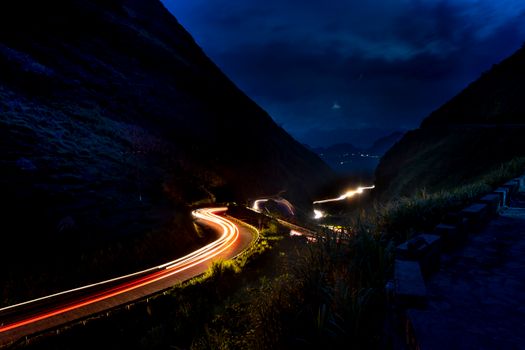
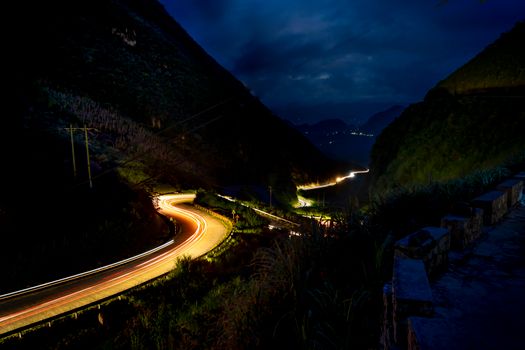
- Shutter Speed: This depends on your desired effect. For smooth motion blur of moving objects (like cars or water), aim for a shutter speed that is about half of your interval (e.g., if your interval is 5 seconds, try a 2-second shutter speed). For static subjects or sharp trails, a faster shutter speed is fine.
- Interval Selection – The Golden Rule: This is critical. The interval is the time between each photo.
- Fast-moving subjects (clouds, people, traffic): 1-5 seconds.
- Slow-moving subjects (sun/moon, shadows, construction): 5-15 seconds.
- Very slow subjects (stars, plants growing): 15-60+ seconds.
- Calculation: To get a 30-second time-lapse at 24 frames per second (fps), you need 720 photos. If you choose a 5-second interval, that's 720 photos * 5 seconds = 3600 seconds = 60 minutes of shooting. Plan accordingly!
- My Tip: Always shoot more frames than you think you need. You can always shorten the final video, but you can't add frames you didn't shoot.
- Exposure Ramping (The "Holy Grail" Time-Lapse): This is for sunrise or sunset time-lapses where the light changes dramatically. You can't use fixed manual settings because the scene will get too dark or too bright.
- Technique: Start in Manual mode, but slowly adjust your shutter speed, ISO, or aperture (in small increments) as the light changes. Some advanced intervalometers can do this automatically, or you can use software like LRTimelapse to smooth out the transitions in post-production. It's challenging but incredibly rewarding.
- Flicker-Free Footage: One of the most common time-lapse issues is "flicker" – slight brightness changes between frames.
- Avoid Auto Settings: This is the primary cause. Stick to manual.
- De-click Aperture (if possible): Some lenses have "de-clicked" apertures for smooth changes. If not, small aperture changes can cause flicker.
- Post-Production: Software like LRTimelapse has excellent deflickering tools.
- Composition: Apply all the rules of good photography – rule of thirds, leading lines, foreground interest, symmetry. A beautiful scene still needs a thoughtful composition to shine in a time-lapse. I remember my first city time-lapse in Bangkok; I just pointed the camera at a busy intersection. It was chaotic and uninteresting. The next day, I found a rooftop bar with a clear view of a major highway and used the leading lines of the road and the distant skyscrapers as my backdrop – a much more compelling result!
4. Post-Production Power-Up – Bringing Your Time-Lapse to Life
The shooting is only half the battle. The real magic happens when you transform those thousands of still images into a fluid, cinematic story.
From Stills to Story: The Magic in the Editing Suite:
- Software Stack:
- Adobe Lightroom Classic (approx. $9.99/month for Photography Plan): Essential for batch editing your RAW photos. You can apply color corrections, adjust exposure, and crop across all your images simultaneously.
- LRTimelapse (Free basic version, Pro version around €299): If you're serious about time-lapse, especially exposure-ramped sequences, LRTimelapse is a game-changer. It integrates seamlessly with Lightroom, handles deflickering, and smooths out transitions beautifully. It's an investment, but worth every penny for professional results.
- Adobe Premiere Pro or After Effects (approx. $20.99/month each, or part of Creative Cloud suite): For assembling your image sequence into a video, stabilization (especially for hyperlapses), adding music, titles, and final color grading. DaVinci Resolve (free version available) is an excellent alternative.
- Workflow – The Assembly Line:
- Import & Organize: Get all your photos onto your computer. Create a dedicated folder for each time-lapse sequence.
- Lightroom Batch Edit: Import into Lightroom. Make your initial adjustments (exposure, highlights, shadows, white balance, contrast, clarity). Apply these settings to all photos in the sequence. For exposure-ramped sequences, LRTimelapse guides you through keyframe selection and interpolation.
- Deflicker (LRTimelapse): If you used LRTimelapse, this step happens here, smoothing out any brightness inconsistencies.
- Export as Image Sequence: From Lightroom (or LRTimelapse), export your edited photos as a JPEG or TIFF image sequence. Make sure the numbering is consecutive (e.g., image_0001.jpg, image_0002.jpg).
- Assemble in Video Editor: Import the image sequence into Premiere Pro, After Effects, or DaVinci Resolve. The software will recognize it as a single video clip. Set your frame rate (24 or 30 fps are standard).
- Final Touches: Add any necessary stabilization, further color grading, sharpening, and crucially, music!
- Music & Sound Design – The Emotional Amplifier: The right soundtrack can elevate your time-lapse from good to unforgettable.
- Royalty-Free Music: Websites like Epidemic Sound (subscription-based), Artlist (subscription-based), or Pixabay (free) offer vast libraries of tracks. Choose music that matches the mood and pace of your time-lapse. A soaring orchestral piece for a mountain sunrise, a gentle acoustic track for a blooming flower, or an upbeat electronic beat for a city hyperlapse.
- Sound Effects (Optional): Subtle ambient sounds (e.g., distant city hum, ocean waves, bird calls) can add another layer of immersion.
- Resolution & Frame Rate: Export in 4K (3840x2160) if your camera supports it, for maximum detail and future-proofing. Stick to standard frame rates like 24fps (cinematic look) or 30fps (smoother, broadcast look).
5. Beyond the Basics – Advanced Techniques & Creative Ideas
Once you've mastered the fundamentals, it's time to push your creative boundaries and explore more complex, eye-popping techniques.
Pushing Boundaries: Hyperlapses, Astro-lapses & More:
- Hyperlapses – Moving Through Time: This is a time-lapse where the camera itself is moving, creating a dynamic, often dizzying effect. Imagine gliding through a bustling market, walking along a famous street, or moving across a landscape.
- Shooting Tips: Mark reference points on the ground, take a step, shoot, take another step, shoot. Keep a consistent point of interest in the frame. This requires immense patience and a very steady hand.
- Stabilization: Post-production stabilization (e.g., Warp Stabilizer in After Effects/Premiere Pro) is absolutely crucial for smooth hyperlapses.
- Anecdote: My first hyperlapse attempt through the streets of Tokyo was a wobbly mess. It took multiple tries and hours in After Effects to get a smooth, compelling shot, but the result – a blur of neon and people – was electric!
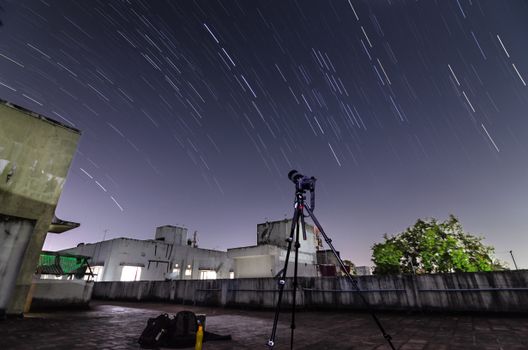
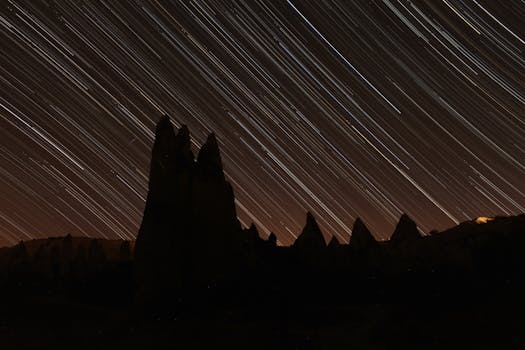
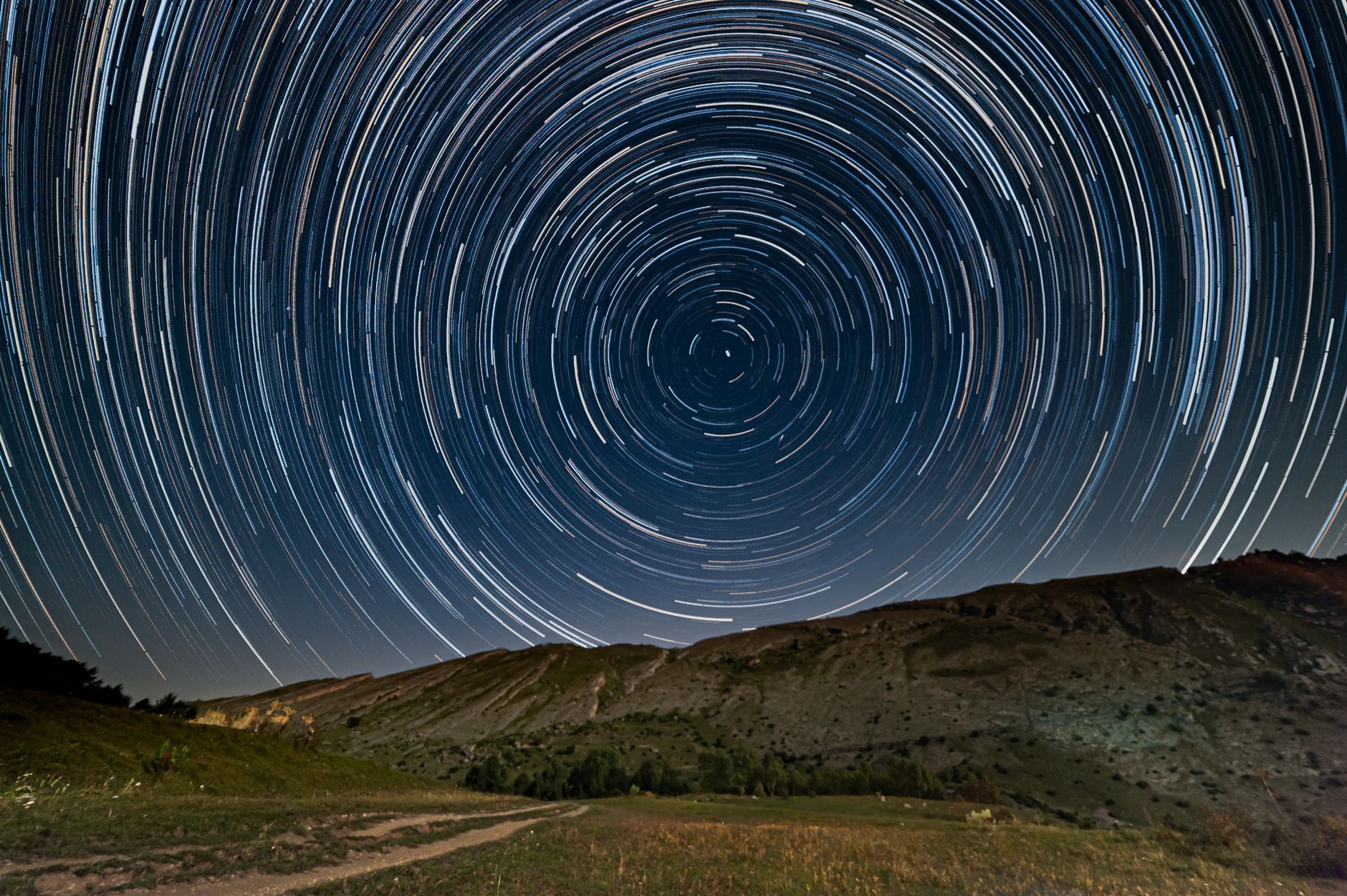
- Astro-lapses (Milky Way & Star Trails): Capturing the celestial ballet is one of the most rewarding time-lapse experiences.
- Locations: Find dark sky locations far from light pollution (e.g., national parks, deserts, remote mountains). Check light pollution maps online.
- Settings: Wide-angle lens (14-24mm), fast aperture (f/2.8 or wider), high ISO (1600-6400), long shutter speed (15-30 seconds). Use a test shot to dial in your exposure.
- Focus: Manually focus to infinity.
- Interval: Your interval should be slightly longer than your shutter speed (e.g., 2-3 seconds longer) to allow the camera to process the image.
- Star Trails: You can stack these images in software like StarStax (free) to create mesmerizing star trails.
- Day-to-Night (Holy Grail Revisited): This is the pinnacle of time-lapse. Starting before sunset and continuing into the night, or vice-versa. It requires precise exposure ramping, often using LRTimelapse, to smoothly transition from bright daylight to dark night, capturing stars appearing as the city lights illuminate. The Dolomites shot I mentioned earlier was a simpler sunrise version, but a full day-to-night over a place like the Grand Canyon or a cityscape like Hong Kong is a bucket-list time-lapse.
- Timelapse + Drone: Combine the stunning perspective of a drone with the time-bending power of time-lapse. Many modern drones (like the DJI Mavic series) have built-in time-lapse modes. Capture clouds rolling over mountains from above, or the changing light on a coastline.
Specific Locations for Inspiration:
- Desert Skies (e.g., Wadi Rum, Jordan; Atacama Desert, Chile): Unparalleled darkness for astro-lapses.
- Mountain Ranges (e.g., Patagonia, Dolomites, Himalayas): Dramatic cloud movements, sunrises/sunsets over jagged peaks.
- Bustling Cities (e.g., Tokyo, New York, Hong Kong): Traffic trails, people flowing through streets, day-to-night transitions from rooftops.
- Coastal Areas (e.g., Pacific Coast Highway, Amalfi Coast): Waves crashing, fog rolling in, lighthouses.
- Ancient Ruins (e.g., Angkor Wat, Cambodia; Petra, Jordan): The passage of time over historical marvels.
Your Time is Now: Create Memories That Move
Time-lapse photography is more than just a technical skill; it's a way of seeing and experiencing the world. It compels you to slow down, observe, and truly appreciate the subtle shifts and grand performances of nature and human activity. It transforms fleeting moments into lasting, dynamic memories that you can share, relive, and cherish.
The feeling of seeing your carefully planned shots, your patient waiting, and your meticulous editing culminate in a breathtaking cinematic sequence is indescribable. It’s a testament to your journey, your vision, and your ability to capture the essence of a place in a way no static photo or shaky video ever could. It’s a travel experience you absolutely need to create for yourself.
So, what are you waiting for? Grab your camera, plan your next adventure, and start creating those epic time-lapse videos. Don't let those incredible travel moments fade into static memories. Make them move, make them sing, make them unforgettable.
What’s your dream time-lapse location? Have you tried time-lapse before? Share your experiences and questions in the comments below! And if this guide helped you, please share it with your fellow travelers – let’s fill the world with more moving memories!
---