Master Trending Travel Time-Lapse Videos: Your Ultimate Guide to Going Viral!
I remember it like it was yesterday: standing on a windswept cliff edge in Iceland, the sky a canvas of dramatic, fast-moving clouds. My camera was perched precariously on a cheap, flimsy tripod, set to capture what I hoped would be a majestic time-lapse. I’d seen a few viral ones online—the kind that compress hours into seconds, showing the world in a way our eyes can’t perceive—and I was determined to create my own.
Fast forward a few hours, battling freezing winds and the constant fear of my gear toppling into the Atlantic, I finally reviewed my footage. It was… well, let's just say it was less "cinematic masterpiece" and more "shaky, flickery mess." My dreams of a viral Icelandic time-lapse were quickly replaced by the cold reality of a beginner's struggle.
But here’s the thing: that failure sparked a fire. I realized that creating those stunning, trending time-lapse videos wasn't just about pressing a button. It was an art, a science, and a journey of discovery. And after countless hours of practice, a few upgraded tripods, and a lot of trial and error across bustling markets in Marrakech, serene temples in Kyoto, and vibrant cityscapes in New York, I'm here to tell you: you absolutely can do it too.
Time-lapse videos are the trending way to showcase your travel experiences right now. They grab attention, tell a story in seconds, and have an almost magical quality that makes viewers hit that share button. Ready to transform your travel memories into viral-worthy content? Let's dive in!
The Magic of Accelerated Time: Why Time-Lapse Videos Go Viral
Before we get into the nitty-gritty, let's understand why time-lapse videos resonate so deeply and often go viral. It's simple: they show us the world in a way we rarely experience. They condense the slow, majestic dance of clouds across a mountain range, the frenetic energy of a city waking up, or the subtle shift from day to night into a breathtaking, digestible snippet.
Imagine a sunset over the Amalfi Coast. You stand there for an hour, watching the colors deepen and fade. A time-lapse captures that entire hour in 10-15 seconds, accelerating the beauty, highlighting the dramatic changes, and delivering an emotional punch that a still photo simply can't. This compressed reality is captivating, making viewers pause their scroll, watch, and often, share the wonder with others. They're perfect for Instagram Reels, TikTok, and YouTube shorts because they're dynamic, visually stunning, and highly engaging.
Gear Up: Your Essential Time-Lapse Toolkit (From Pro to Phone)
You don't need a Hollywood budget to start creating amazing time-lapses. While professional gear helps, incredible results are achievable with what you already have.
1. The Camera:
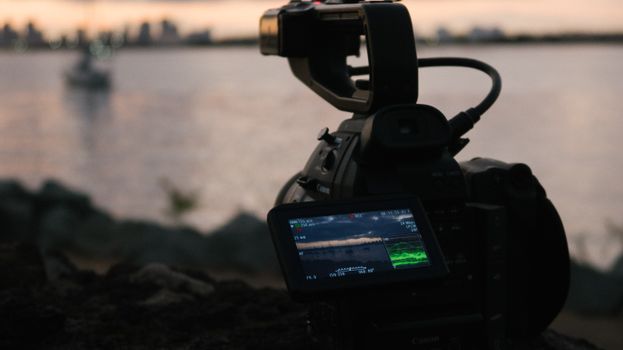
* DSLR/Mirrorless Cameras (Pro Choice): Cameras like the Sony A7III, Canon EOS R6, or Nikon Z6 are kings for time-lapse. They offer manual control over every setting (aperture, shutter speed, ISO), shoot in RAW for maximum editing flexibility, and have excellent battery life (especially with external power). Many have built-in intervalometers, making them super convenient. My personal go-to is my Sony A7III—it’s a workhorse!
* Action Cameras (Adventure Ready): A GoPro Hero 11 or DJI Osmo Action 3 is fantastic for rugged travel. They're compact, waterproof, and have dedicated time-lapse modes built-in. While they offer fewer manual controls than DSLRs, their portability and durability make them perfect for extreme conditions or unique angles. Plus, they’re often more budget-friendly, starting around $300-400.
* Smartphones (The Everyday Hero): Don't underestimate your phone! Modern smartphones like the iPhone 14 Pro/Pro Max or Samsung Galaxy S23 Ultra have incredible cameras and built-in time-lapse modes. While they lack advanced manual settings, they're always with you and incredibly easy to use. For a quick, casual time-lapse, your phone is often all you need.
2. The Tripod (Non-Negotiable!):
This is perhaps the most crucial piece of gear. A shaky time-lapse is a failed time-lapse.
* Sturdy & Stable: Invest in a good quality tripod. Look for something that can handle your camera's weight and won't wobble in the wind. Brands like Manfrotto (e.g., BeFree Advanced Travel Tripod, around $150-200), Peak Design, or Gitzo are excellent.
* Travel-Friendly: For travelers, a compact and lightweight tripod is key. Carbon fiber models are lighter but pricier. My Manfrotto BeFree has traveled with me everywhere from the bustling streets of Rome to the serene fjords of Norway, and it's never let me down.
* For Phones: Even for your phone, a small, stable tripod like a Joby GorillaPod or a simple phone clamp with a mini tripod is essential.
3. Intervalometer (The Time-Keeper):
This device tells your camera to take a photo at specific intervals.
* Built-in: Many DSLRs/mirrorless cameras have an intervalometer function built into their menu.
* External: If yours doesn't, you can buy an external one that plugs into your camera (around $20-50).
* Motion Control (Optional Pro Upgrade): For truly cinematic, dynamic time-lapses, consider a motion control slider or pan-tilt head like the MIOPS Capsule or Syrp Genie Mini II. These devices slowly move your camera during the time-lapse, adding subtle motion that elevates the production value significantly. Expect to pay $200-$500+ for these. I splurged on a MIOPS Capsule a couple of years ago, and it completely transformed my sunrise shots over the Grand Canyon, adding a silky smooth pan that made the video feel incredibly professional.
4. Batteries & Memory Cards:
Time-lapses consume a lot of power and storage. Bring multiple fully charged batteries and high-capacity, fast memory cards. For a 2-hour sunset time-lapse, you might take hundreds of photos!
Mastering the Shot: Techniques & Settings for Stunning Time-Lapses
This is where the magic happens. Getting your settings right is paramount to a trending time-lapse.
1. Composition is King:
* Leading Lines & Rule of Thirds: Frame your shot with strong compositional elements. A road leading into a cityscape, a river winding through a valley, or the horizon on the lower third of your frame.
* Foreground Interest: Don't just point at the horizon. Include an interesting foreground element—a unique rock formation, a blooming flower, a local street vendor—to add depth and scale. When I shot the bustling Shibuya Crossing in Tokyo, I made sure to include the iconic "109" building in the background and a street lamp in the foreground to give the endless stream of people context.
* Dynamic Elements: Look for movement! Clouds, water, crowds, traffic, stars. These are the elements that will create the "time-lapse effect."
2. Manual Mode is Your Best Friend:
Switch your camera to full manual mode (M). This is crucial to avoid "flicker"—those annoying brightness changes that happen when your camera's auto-exposure tries to adjust during the shot.
* Aperture (f-stop): Choose an aperture that gives you the desired depth of field. For landscapes, a higher f-number (e.g., f/8 to f/11) keeps everything sharp.
* Shutter Speed: This depends on your subject.
* Smooth Movement (e.g., clouds, water): A slightly slower shutter speed (e.g., 1/20th to 1/2 second) will create a nice motion blur, making movement appear smoother and more artistic.
* Sharp Movement (e.g., people, traffic): A faster shutter speed (e.g., 1/100th to 1/250th) will keep moving objects sharper.
* ISO: Keep your ISO as low as possible (e.g., 100 or 200) to minimize noise, especially in low light.
* White Balance: Set this manually (e.g., Daylight, Cloudy, or a specific Kelvin temperature). Do not use auto white balance, as it will cause color shifts.
3. The Interval: How Often to Shoot?
This determines how fast your final video will look.
* Fast-moving clouds, crowds, traffic: 1-3 seconds.
* Sunrises/Sunsets, slow-moving clouds: 5-10 seconds.
* Stars, construction, very slow changes: 15-30 seconds (or even longer).
* Pro Tip: As a general rule, your interval should be at least twice your shutter speed. If your shutter speed is 2 seconds, your interval should be 4 seconds or more to give the camera time to process.
4. Duration & Photos Needed:
* Desired Video Length: A standard time-lapse video runs at 24 or 30 frames per second (fps). For a 10-second video at 30fps, you need 300 photos.
* Shooting Time: If you need 300 photos and your interval is 5 seconds, you'll be shooting for 300 * 5 = 1500 seconds, or 25 minutes.
* Rule of Thumb: Plan to shoot for at least 30 minutes to an hour for most outdoor scenes to capture enough movement. For a "Holy Grail" day-to-night time-lapse, you might be shooting for 3-4 hours!
5. Focus & Stability:
* Manual Focus: Set your lens to manual focus and focus on your main subject, then lock it. Autofocus can hunt and cause flicker. For distant landscapes, focus at infinity.
* Lock Down Your Tripod: Ensure all legs and ball head are tightened. Hang your camera bag from the center column for extra stability in windy conditions. I learned this the hard way on a windy day in Patagonia—my camera almost became one with the landscape!
6. Special Techniques:
* Holy Grail Time-Lapse (Day-to-Night/Night-to-Day): This is challenging but incredibly rewarding. It involves slowly adjusting your exposure settings (shutter speed, ISO) as the light changes. Some advanced intervalometers (like the MIOPS) can do "bulb ramping" automatically, making it much easier.
* Star Trails/Milky Way: Requires long exposures (15-30 seconds), wide aperture (f/2.8-f/4), and high ISO (1600-6400). Shoot away from light pollution.
* Light Painting: Incorporate light painting into a long-exposure time-lapse for a unique artistic effect.
The Art of Hyperlapse: Moving Time-Lapses
Want to take your time-lapses to the next level? Enter the hyperlapse. Unlike a static time-lapse, a hyperlapse involves moving your camera between each shot. This creates a dizzying, dynamic effect that makes it look like the world is rushing past you while your camera glides through it.
- How it Works: You move your camera a small, consistent distance between each shot, keeping a specific point of interest (POI) in the exact same spot in your frame.
- Technique:
- Choose a POI: A building, a statue, a person. This will be your anchor.
- Mark Your Steps: Take a step, take a photo, take another step, take another photo. Keep your steps consistent in size and direction.
- Lock Focus & Exposure: Just like a regular time-lapse, manual focus and exposure are critical.
- Stabilization is Key: Hyperlapses are incredibly difficult to do perfectly by hand. Post-production stabilization (more on that next) is almost always required.
- Anecdote: My first attempt at a hyperlapse was in the bustling Grand Bazaar in Istanbul. I tried to keep a specific archway centered, but with people constantly bumping into me and my inconsistent steps, the raw footage was a disaster! It took hours of digital stabilization to make it watchable, but the final result, showing the vibrant chaos of the market, was totally worth the effort. It’s a challenging technique, but the trending potential is enormous.
Post-Production Power: Editing Your Masterpiece
Shooting is only half the battle. Editing is where your time-lapse truly comes alive and gets polished for viral potential.
1. Importing & Organizing:
* Import all your photos into a single folder.
* Rename them sequentially (e.g., "KyotoSunset_001.jpg," "KyotoSunset_002.jpg"). This is crucial for your editing software to recognize them as a sequence.
2. Photo Editing (Lightroom/Capture One):
* Process RAW Files: If you shot in RAW, import them into Adobe Lightroom Classic or Capture One.
* Edit One Photo: Make your desired adjustments (exposure, contrast, highlights, shadows, white balance, color grading, sharpening, noise reduction) to one photo in the sequence.
* Sync Settings: Copy and paste (or sync) these settings to all the other photos in the sequence. This ensures a consistent look across your entire time-lapse.
* Deflicker (Optional but Recommended): Use a Lightroom plugin like LRTimelapse (paid, but excellent) or free tools like TLTools to analyze and remove any remaining flicker. This is especially important for day-to-night transitions.
* Export as JPEGs: Export the edited sequence as high-quality JPEGs.
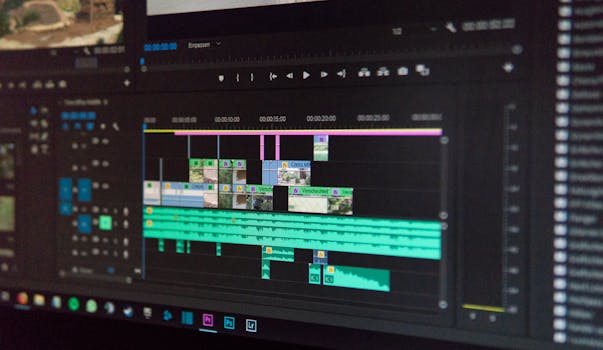
3. Video Assembly & Editing (Premiere Pro/After Effects/DaVinci Resolve):
* Import as Image Sequence: In your video editor (Adobe Premiere Pro, After Effects, DaVinci Resolve, or even LumaFusion on mobile), import your JPEG sequence as an "image sequence." The software will automatically treat them as a video clip.
* Frame Rate: Set your sequence to 24fps or 30fps.
* Stabilization (for Hyperlapses): Use the warp stabilizer effect in Premiere Pro or After Effects. This will smooth out any jitters and make your hyperlapse look professionally shot. It's a lifesaver!
* Speed Ramps (Optional): Experiment with speeding up or slowing down certain parts of your time-lapse for dramatic effect.
* Color Grading & Effects: Add a final color grade to enhance the mood. Consider subtle vignettes or cinematic bars.
* Music Selection (CRITICAL for Viral Potential!): This is HUGE. The right music elevates your time-lapse from good to unforgettable.
* Tempo: Match the music's tempo to the pace of your time-lapse.
* Mood: Choose music that evokes the emotion you want to convey (epic, serene, energetic).
* Trending Audio: For Instagram Reels and TikTok, actively search for trending audio. Using popular sounds can significantly boost your reach.
* License: Always use royalty-free music or music you have licensed to avoid copyright issues. Epidemic Sound and Artlist are great resources.
* Sound Design (Optional): Add subtle ambient sounds (city bustle, nature sounds) to further immerse the viewer.
4. Export for Social Media:
* Resolution: Export in 1080p (Full HD) or 4K if your platform supports it and your original photos allow.
* Format: H.264 (MP4) is universally accepted.
* Bitrate: Use a relatively high bitrate (e.g., 20-40 Mbps for 1080p) for good quality without excessive file size.
* Platform Specifics: Check recommended settings for Instagram Reels (vertical 9:16 aspect ratio, max 60 seconds), TikTok, and YouTube.
Going Viral: Tips for Sharing & Engagement
You've created a masterpiece, now let the world see it!
- Choose the Right Platform:
- Instagram Reels/TikTok: Perfect for short, punchy, visually stunning time-lapses with trending audio. Use vertical (9:16) aspect ratio.
- YouTube: Ideal for longer, more detailed time-lapses, perhaps with narration or a deeper story.
- Facebook/Pinterest: Good for sharing with a broader audience, especially if you have a travel blog post to link to.
- Strategic Hashtags: Don't just throw in random hashtags. Research popular and niche tags related to time-lapse, travel, your specific location, and video editing. Examples: #timelapse #traveltimelapse #hyperlapse #viralvideo #travelphotography #contentcreator #[cityname] #[countryname] #sunsetlover #cityscape #naturelovers #tripsora
- Trending Audio: As mentioned, this is a game-changer for short-form video. Spend time browsing Reels and TikTok to see what sounds are currently trending and integrate them creatively.
- Engaging Captions: Tell a story! What was the experience like? What challenges did you face? Ask questions to encourage comments. "Capturing this sunset over Santorini was an absolute dream! What's the most breathtaking sunset you've ever witnessed?"
- Call to Action: Encourage shares, saves, and comments. "Hit save if you want to try this on your next trip!" or "Tag a friend who needs to see this!"
- Consistency: The more you create and share, the more likely one of your videos will catch fire. Don't be discouraged if your first few don't go viral. Keep learning, keep experimenting, and keep sharing your unique perspective.
Safety, Ethics, and Local Etiquette
A quick but important note: always be mindful of your surroundings and respect local customs.
* Tripod Placement: Don't block pathways or entrances, especially in crowded areas.
* Private Property: Be aware of private property rules.
* People: If you're capturing people, especially in close-up hyperlapses, be respectful. In some cultures, it's polite to ask permission.
* Sensitive Locations: Be extra discreet and respectful in places of worship or memorials.
* Wildlife: Maintain a safe distance and never disturb animals for a shot.
Conclusion: Your Journey to Trending Time-Lapse Mastery
From that shaky, windswept first attempt in Iceland to the smooth, cinematic sequences I now capture, my time-lapse journey has been one of continuous learning and immense satisfaction. It's a powerful way to relive your travel memories and share the magic of the world with others.
Creating trending travel time-lapse videos might seem daunting at first, but with the right gear, a solid understanding of techniques, and a dash of creativity in post-production, you'll be compressing hours into captivating seconds in no time. So, grab your camera, find your tripod, and start seeing the world through a new, accelerated lens.
What incredible moment are you going to capture in your first viral time-lapse? Share your plans in the comments below, or better yet, tag @TripsoraOfficial in your next time-lapse creation! We can't wait to see what you create. Happy shooting, fellow adventurers!
---