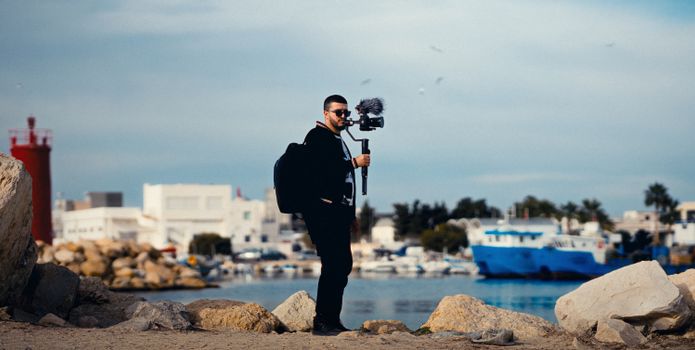
The sun dips below the horizon in Santorini, painting the sky in a symphony of oranges and purples. A bustling market in Marrakech transforms from sleepy stalls to a vibrant kaleidoscope of activity. Clouds drift lazily over the Dolomite peaks, casting dancing shadows across the valleys. You see these moments on Instagram, perfectly condensed into a few mesmerizing seconds, and think, "How do they do that?"
For years, I was right there with you. My early attempts at time-lapse were, frankly, hilarious disasters. A wobbly phone perched precariously on a cafe sugar dispenser in Rome, resulting in a flickery, off-kilter mess. A sunrise sequence in Bali where half the frames were blown out because I forgot to lock my exposure. I’d scroll through my feed, seeing influencers effortlessly churn out cinematic masterpieces, and wonder if there was some secret handshake, some exclusive gear, or a magic button I wasn't privy to.
Well, guess what? There kinda is a secret, but it's not what you think. It's not about expensive gear or a film crew. It’s about understanding a few fundamental principles, mastering some accessible tools, and having a dash of patience. And today, I'm pulling back the curtain. This isn't just a guide; it's your all-access pass to creating those jaw-dropping time-lapses that Instagram influencers use to rack up views and engagement – the very techniques they often keep under wraps to maintain their 'exclusive' content edge.
Are you ready to stop scrolling and start creating? Let's dive in.
The 'Why' & The 'What': Beyond Just Pretty Sunsets
Before we talk about gear and settings, let's talk about the magic. Why time-lapse? Because it reveals the unseen. It compresses hours, even days, into moments, allowing us to witness the subtle, beautiful changes that unfold around us, often too slow for the naked eye to fully appreciate. It adds a dynamic, almost ethereal quality to your travel videos, transforming static scenes into living stories.
But here's the first 'influencer secret': it's not just about sunsets and sunrises. While those are undeniably gorgeous, true time-lapse artists look for movement and change everywhere.
Think about:
* Cityscapes: The flow of traffic, the twinkling lights appearing as dusk settles, pedestrians bustling across a square. My favorite time-lapse from a recent trip wasn't a scenic vista, but the frenetic, organized chaos of Shibuya Crossing in Tokyo, shot from a cafe window above. It told a story of urban energy.
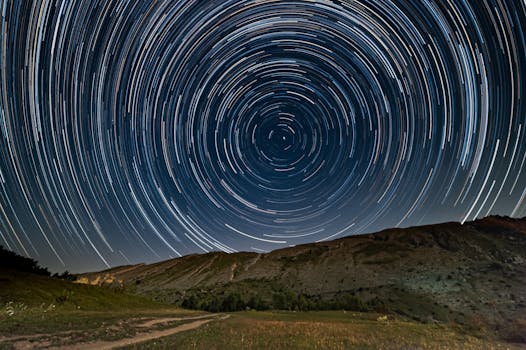
* Nature's Drama: Beyond clouds and celestial movements (star trails are incredible!), consider blooming flowers in a botanical garden, melting ice sculptures, the tide rolling in and out, or even the subtle sway of trees in a breeze.
* Human Activity: The setup of a vibrant street market, the intricate work of an artisan, people enjoying a festival, or even the simple act of packing/unpacking your backpack in a new hostel.
* Architectural Transformation: The changing light on an ancient ruin throughout the day, the shadows crawling across a cathedral facade, or even construction projects (if you're a long-term traveler!).
The key is to observe. Look for patterns, for things that evolve over time. Once you start seeing the world through a time-lapse lens, you'll find inspiration everywhere.
The Gear You Really Need (And What You Can Totally Skip)
This is where many aspiring time-lapsers get intimidated. They see pro-level gear and assume it's out of reach. But here's the truth: you probably already own the most essential piece of equipment.
The Absolute Essentials (Don't Leave Home Without These!):
- Your Smartphone: Yes, really! Modern smartphones (iPhone 11 onwards, Google Pixel, Samsung Galaxy S series, etc.) have incredible cameras and often built-in time-lapse modes. They shoot high-quality video, and with the right apps, can capture stunning photo sequences too. This is your starting point, and for many, it's all you'll ever need.
- A Rock-Solid Tripod: This is non-negotiable. I repeat: NON-NEGOTIABLE. Your time-lapse will be ruined by even the slightest wobble.
- For Smartphones: A mini-tripod with a phone mount is perfect for travel. I swear by the Joby GorillaPod 3K Kit (~$50-70). Its flexible legs can grip onto railings, branches, or uneven surfaces, making it incredibly versatile. For something even more compact, the Manfrotto Pixi Evo 2 Mini Tripod (~$30-40) is sturdy and lightweight.
- For Cameras: If you're using a mirrorless or DSLR, invest in a lightweight travel tripod. Brands like Peak Design, Manfrotto, and Sirui offer excellent options that fold down small but provide stability. Expect to spend $150-$300 for a good one.
- A High-Capacity Power Bank: Time-lapses drain batteries like crazy. Especially if you're out for hours capturing a sunset or a busy street scene. A 10,000mAh or 20,000mAh power bank is essential. I always pack my Anker PowerCore 20000 PD (~$50-70), which can recharge my phone multiple times or keep my camera powered via USB-C. Don't forget the right charging cables!
Nice-to-Haves (Level Up When You're Ready):
- Mirrorless/DSLR Camera: If you already own one, fantastic! These offer more control over settings (manual exposure, RAW files), which is crucial for advanced techniques like day-to-night transitions. Most modern cameras have an intervalometer built-in.
- External Intervalometer/Shutter Release: For older DSLRs or specific needs, this device triggers your camera at set intervals. They're usually cheap ($20-50).
- Neutral Density (ND) Filters: These are like sunglasses for your camera lens. They allow you to use slower shutter speeds in bright conditions, creating beautiful motion blur for things like flowing water or busy traffic, making your time-lapse look incredibly smooth and professional. A variable ND filter is a great travel companion.
- Extra Batteries: For your camera, obviously.
My personal journey with gear started with just my iPhone 8 and a cheap $10 mini-tripod from Amazon. It was enough to get hooked. As I progressed, I upgraded to a GorillaPod, then eventually to my Sony A7III with a travel tripod. The point is, start simple. The best gear is the gear you have with you and know how to use.
Mastering the Shot: Settings & Scenarios to Capture Magic
This is where the magic (and the science) happens. Getting your settings right is paramount to a stunning time-lapse. Forget auto mode; we're going full manual here, even on your phone where possible!
1. Framing & Composition: It's All in the Scene
* Stability, Stability, Stability: Your tripod is your best friend. Ensure it's on a solid, level surface. Check for wind, vibrations from passing traffic, or curious passersby who might nudge it. I once had a perfect time-lapse ruined by a curious seagull in Lisbon knocking my phone slightly askew. Lesson learned!
* Rule of Thirds & Leading Lines: Apply standard photography composition rules. Place your subject (e.g., a monument, a cloud formation) off-center. Use roads, rivers, or architectural elements to lead the viewer's eye through the frame.
* Foreground Interest: Don't just shoot the horizon. Include something interesting in the foreground – a tree, a person, a unique piece of architecture – to add depth and scale.
* Anticipate Movement: Where will the sun go? How will the clouds drift? Where will the people move? Think about the journey your time-lapse will take.
2. The Intervalometer: The Heartbeat of Your Time-Lapse
This is the most critical setting. The interval is the time between each photo your camera takes. Choosing the right interval depends entirely on the speed of movement in your scene.
- Fast Movement (Traffic, People, Fast Clouds): 1-3 seconds.
- Example: A busy market in Hanoi, cars on a highway.
- Medium Movement (Normal Clouds, Sunsets/Sunrises): 5-10 seconds.
- Example: Clouds over the Grand Canyon, a sunset over the ocean.
- Slow Movement (Stars, Construction, Very Slow Clouds): 15-30+ seconds.
- Example: Star trails in the desert, a building being erected.
How to Calculate:
Let's say you want a 10-second final video at 24 frames per second (fps - standard for cinematic look). You'll need 240 photos (10 seconds * 24 fps).
If you're shooting a sunset with a 10-second interval:
240 photos * 10 seconds/photo = 2400 seconds = 40 minutes of capture time.
Pro Tip: It's always better to shoot more frames than you think you need. You can always speed up or trim later, but you can't invent missing frames.
3. Exposure Settings: Lock It Down!
This is the biggest influencer secret for flicker-free time-lapses.
* Go Manual (M Mode): Set your ISO, Shutter Speed, and Aperture manually.
* Why? If your camera is in auto or semi-auto mode (like Aperture Priority), it will try to adjust exposure for each shot as the light changes. This results in varying brightness between frames, creating a distracting "flicker" in your final video.
* How: Find a good average exposure for your scene. If shooting a sunset, expose for the middle of the transition. If shooting a bustling street, expose for the brightest elements so your shadows don't get crushed.
* White Balance: Set it manually (e.g., Daylight, Cloudy) to avoid color shifts.
* Focus: Set it to manual and focus to infinity (or on your main subject). Auto-focus can hunt and ruin your sequence.
Personal Anecdote: My first attempt at a day-to-night time-lapse in Istanbul was an absolute disaster because I left it in Aperture Priority. The camera kept adjusting, and the resulting flicker was so bad it looked like a strobe light. I learned that lesson the hard way – manual exposure is king!
4. The Holy Grail (Day-to-Night):
This is an advanced technique where you capture a time-lapse transitioning from bright day to dark night. It can be done manually by gradually adjusting exposure, but it's incredibly difficult to do smoothly. The pros use software like LRTimelapse (desktop, paid) which analyzes your photos and smooths out exposure transitions, eliminating flicker. Definitely something to explore once you've mastered the basics!
Hyperlapse & Motion Time-Lapse: Adding Dynamic Flair
Once you've nailed the stationary time-lapse, you might crave more dynamic movement. This is where hyperlapse comes in – it’s a time-lapse with camera movement.
1. Hyperlapse (Manual Movement):
This involves physically moving your camera a small distance between each shot. It's incredibly effective for moving through a city, along a path, or circling an object.
- Technique:
- Choose a stable point in the distance (an anchor point) to keep in the center of your frame.
- Take a photo.
- Take a small, consistent step (or slide your tripod a consistent distance).
- Re-frame your shot, ensuring your anchor point is still centered.
- Take another photo.
- Repeat, repeat, repeat!
- Apps: For smartphones, the Hyperlapse from Instagram app (iOS only) or Microsoft Hyperlapse Mobile (Android) are fantastic. They automatically stabilize and smooth out your footage.
- Pro Tip: The smaller and more consistent your steps, the smoother the final hyperlapse will be. Think of it like a slow-motion walk, but only taking a photo every few seconds.
Personal Anecdote: My first successful hyperlapse was walking through the bustling Djemaa el-Fna square in Marrakech. It was shaky as hell in the raw footage, but after some stabilization in post, it became this incredible, almost surreal journey through the market, capturing the energy in a way a static shot never could. It taught me the power of controlled movement.
2. Motion Control (Automated Movement):
This is where some influencers do invest in specialized gear. Motorized sliders or pan/tilt heads can move your camera smoothly and precisely during a time-lapse, adding a professional, cinematic sweep or dolly effect.
* Gear: Look for brands like Syrp, Rhino, or Edelkrone. These can range from a few hundred to several thousand dollars, so this is definitely an advanced, aspirational tool. But knowing it exists helps you understand how those ultra-smooth pro shots are achieved.
Post-Production Magic: Editing Like a Pro (Without the Price Tag)
Capturing the frames is only half the battle. The real magic often happens in post-production, where you transform a sequence of still images into a fluid, captivating video. You don't need expensive software to get started.
1. Software & Apps (Free & Budget-Friendly Options):
- Smartphones:
- In-built Editors: Most phones let you trim and adjust speed.
- CapCut (Free): Incredibly powerful and user-friendly. Great for basic editing, adding music, and effects.
- InShot (Free/Paid): Similar to CapCut, very intuitive.
- LumaFusion (iOS, Paid ~$30): A professional-grade mobile video editor. If you're serious about mobile editing, this is the gold standard.
- Desktop (Free/Budget):
- DaVinci Resolve (Free): This is my top recommendation. It's the full professional suite used by Hollywood, and the free version is incredibly robust. It has powerful color grading, stabilization, and editing tools. There's a learning curve, but it's worth it.
- Google Photos: Basic time-lapse creation from a series of photos.
- Panolapse (Free): Specifically designed for time-lapse, helps with smoothing and motion.
- Desktop (Paid/Pro):
- Adobe Premiere Pro / After Effects: Industry standard.
- LRTimelapse: Essential for day-to-night transitions and advanced flicker removal. It works in conjunction with Adobe Lightroom.
2. Key Editing Steps:
- Import & Sequence: Bring your photos into your chosen editor. Most editors will have an option to import an image sequence as a video. Set your frame rate (24-30fps).
- Stabilization (Crucial for Hyperlapses!): If your footage is shaky, use stabilization tools.
- DaVinci Resolve: "Tracker" and "Stabilizer" tools are powerful.
- Premiere Pro: "Warp Stabilizer" is excellent.
- Mobile Apps: Many hyperlapse apps do this automatically, or use the built-in stabilization in CapCut/InShot.
- Color Grading & Correction: Make your time-lapse pop! Adjust brightness, contrast, saturation, and white balance. Ensure consistency across all frames. This is where you can really define the mood.
- Speed Ramps: Gradually speed up or slow down certain sections of your time-lapse for dramatic effect. For example, slow down at the start and end of a sunrise, but speed up the middle.
- Crop & Refine: Crop out any unwanted elements or adjust the aspect ratio for social media (e.g., 9:16 for Reels/TikTok, 1:1 for Instagram feed).
- Music & Sound Design: This is HUGE. The right music elevates your time-lapse from just a cool video to an emotional experience.
- Sources: Epidemic Sound (paid subscription, but vast library), Artlist (paid), YouTube Audio Library (free, but check licenses).
- Tip: Choose music that matches the mood and pace of your time-lapse. Don't be afraid to layer subtle ambient sounds (city buzz, nature sounds) under the music.
Personal Anecdote: DaVinci Resolve changed my editing game. I used to struggle with flicker and color inconsistencies, but the free version of Resolve gave me professional-grade tools. My raw footage from a cloud time-lapse over the Scottish Highlands went from "okay" to "OMG!" after just an hour of tweaking in Resolve. It's a game-changer, and it costs absolutely nothing to download and learn!
The 'Influencer' Secrets: Beyond the Technical
So, you've mastered the gear, the settings, and the editing. Now, how do you make your time-lapses not just good, but viral-worthy? This is where the true 'influencer' mindset comes in.
- Storytelling is King: Don't just capture movement; capture a narrative. What story is your time-lapse telling? Is it the peaceful awakening of a city? The relentless energy of a metropolis? The fleeting beauty of nature? A time-lapse of a flower blooming tells a story of life and growth. A time-lapse of a street artist creating a mural tells a story of creation.
- Seek Unique Angles & Perspectives: Influencers don't just shoot from eye-level. They climb to rooftops (with permission!), find reflective surfaces, shoot through windows, or get down low. Try shooting through a unique archway, from a bridge overlooking traffic, or from a high vantage point that offers a sweeping view. In Budapest, I found an old building with a public rooftop terrace that offered an incredible, rarely seen view of the Parliament building – perfect for a sunset time-lapse.
- Patience & Persistence: Time-lapse is not instant gratification. You'll spend an hour capturing a 10-second clip. You'll wait for the perfect light. You'll re-shoot if something goes wrong. This patience is a secret weapon that many casual creators lack. Embrace the waiting; it's part of the creative process.
- Legal & Ethical Considerations: Always be mindful of your surroundings.
- Public vs. Private Property: You can generally shoot time-lapses in public spaces, but be respectful. If you're on private property (like a cafe), ask permission.
- People's Privacy: While time-lapses often blur individual faces due to movement, be aware if you're specifically capturing a small group of people in a way that might make them uncomfortable.
- Drones: Drone time-lapses are incredible but come with strict regulations. Always check local drone laws!
- Share Strategically: Once your masterpiece is ready, don't just dump it online.
- Platform Specifics: Optimize for Instagram Reels/Stories (9:16 vertical), TikTok (9:16), or YouTube (16:9 horizontal).
- Hashtags: Use a mix of broad (#traveltimeLapse #videography) and niche (#SantoriniSunset #TokyoStreets #Hyperlapse) hashtags.
- Engaging Captions: Ask questions, share a behind-the-scenes tidbit, or tell the story of the moment. "Can you believe this transformation? This 10-second clip took 2 hours to shoot! Worth it for this view of [Location]!"
- Tagging: Tag relevant tourism boards, hotels, or local businesses if they feature in your video.
Your Time to Shine: Go Create!
You now possess the 'secrets' that many Instagram influencers guard closely. You know you don't need a massive budget or a professional crew to create stunning time-lapses that captivate and inspire. All you need is your existing phone or camera, a trusty tripod, a power bank, and the knowledge to put it all together.
From the bustling streets of Bangkok to the serene fjords of Norway, the world is waiting to be condensed into your unique, mesmerizing visual stories. So, what are you waiting for? Grab your gear, find a spot that inspires you, and start experimenting. Don't be afraid to make mistakes – that's how you learn and grow.
The next time you scroll through your feed and see a breathtaking time-lapse, you won't just be admiring it; you'll be thinking, "I can do that, too." And you absolutely can.
Now go forth, capture the passage of time, and share your incredible travel experiences with the world! We can't wait to see what you create. Share your masterpieces with #TripsoraTimeLapse and tag us! What's the first time-lapse you're going to try? Let us know in the comments below!
---