Unlock Freedom: Set Up a Mobile Office Anywhere & Blow Your Mind!
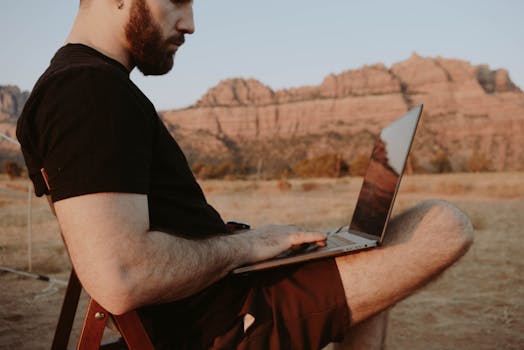
The scent of salt air filled my lungs, a gentle breeze rustled the palm trees above, and the rhythmic crash of waves provided the most incredible soundtrack to my workday. My "office" that day? A rustic beachside cafe in Canggu, Bali, with my laptop perched on a wobbly wooden table, a fresh coconut by my side. Just a few years ago, this would have been an impossible dream, a vacation fantasy. But here I was, not on holiday, but building my business, answering emails, and crafting content – all while soaking in the vibrant energy of Southeast Asia.
That moment, truly, blew my mind. It wasn't just about the stunning view; it was the profound realization that my work, my livelihood, no longer tethered me to a specific desk, city, or even continent. It was about freedom.
If you’re reading this, chances are you’ve felt that same yearning. The desire to break free from the traditional 9-to-5, to travel the world without sacrificing your career, or simply to have the flexibility to work from your cabin in the woods. The good news? Setting up a mobile office that allows you to work seamlessly from anywhere isn't just possible; it's more accessible than ever before. And I’m here to show you exactly how to do it – with practical tips, personal anecdotes, and a sprinkle of magic that will truly blow your mind.
Let's ditch the office walls and embrace the world as your new workspace.
1. The Core Command Center: Essential Gear That Fuels Your Freedom
Think of your mobile office as a highly optimized, minimalist toolkit. Every item serves a purpose, enabling maximum productivity with minimal bulk. This isn't about buying everything; it's about investing in the right things.
a. The Brains of the Operation: Your Laptop
This is non-negotiable. Prioritize a lightweight yet powerful laptop. My go-to has always been a MacBook Air (the M-series chips are fantastic for battery life and performance) or a high-end ultrabook like a Dell XPS 13 or Lenovo X1 Carbon. Look for:
* Excellent Battery Life: At least 8-10 hours to avoid frantic searches for power outlets.
* Portability: Under 3 lbs (1.3 kg) is ideal.
* Reliability & Durability: You'll be carrying it everywhere.
* Sufficient RAM & Storage: 16GB RAM and 512GB SSD are good baselines for most tasks.
b. The Game Changer: Portable Monitor
This is where minds truly get blown. For years, I struggled with single-screen productivity. Then I discovered portable monitors. My current favorite is the ASUS ZenScreen or a Lenovo ThinkVision M14. They're USB-C powered, incredibly thin, and weigh less than 2 pounds. Imagine having a dual-monitor setup while sitting by a lake in Patagonia or a cafe in Paris! It's an absolute productivity booster and makes complex tasks so much easier. Pro tip: Look for models with an integrated stand.
c. Audio Oasis: Noise-Cancelling Headphones
Whether you’re in a bustling airport, a lively cafe, or a shared co-working space, distractions are inevitable. A good pair of noise-cancelling headphones (like Sony WH-1000XM5 or Bose QuietComfort) is your personal sanctuary. They're essential for focus, clear calls, and maintaining sanity.
d. Power on the Go: Portable Chargers & Adapters
Never underestimate the power of a dead battery.
* High-Capacity Power Bank: A 20,000mAh+ power bank (like Anker PowerCore III Elite) can recharge your phone multiple times and even give your laptop a boost.
* Universal Travel Adapter with USB-C PD: One adapter for all your global outlets, with Power Delivery (PD) for fast laptop charging. I always carry one with multiple USB ports so I can charge my phone, watch, and laptop simultaneously.
e. Ergonomic Enhancers: Mini Stand, Keyboard & Mouse
Save your neck and wrists!
* Portable Laptop Stand: A foldable stand (like the Roost stand or MOFT stand) elevates your screen to eye level, improving posture.
* Compact Bluetooth Keyboard & Mouse: Essential for comfortable typing, especially if you're using a laptop stand. I love the Logitech MX Anywhere series for mice and Apple Magic Keyboard for its slim profile.
f. Digital Essentials: Cloud & Security
* Cloud Storage: Google Drive, Dropbox, OneDrive – ensure all your files are accessible from anywhere.
* VPN (Virtual Private Network): Crucial for secure connections, especially on public Wi-Fi. NordVPN or ExpressVPN are great choices.
* Password Manager: LastPass or 1Password keeps your logins secure and accessible.
Personal Anecdote: I once tried to work from a gorgeous cafe in Lisbon, only to realize I'd forgotten my laptop charger. Panic! Luckily, a friend lent me their universal adapter. That day taught me to always have backups and redundancy in my power setup. Now, I have a small dedicated "power pouch" that lives in my backpack.
2. Connectivity Conquered: Your Lifeline to the Digital World
The most beautiful workspace in the world is useless without internet. Mastering connectivity is the bedrock of your mobile office.
a. Local SIM Cards vs. eSIMs: The Modern Solution
* Local SIM Cards: Often the most cost-effective solution for long stays. Upon arrival, grab a prepaid SIM with a generous data plan. In Thailand, I picked up a unlimited data SIM for about $20/month. In Mexico, I used Telcel for reliable coverage.
* eSIMs (Embedded SIMs): A true game-changer for short trips or hopping between countries without physically swapping cards. Apps like Airalo, Nomad, or Holafly allow you to purchase data plans for specific countries or regions right from your phone. It’s a bit pricier than local SIMs but offers unparalleled convenience. I used Airalo extensively through Europe, activating a new plan as my plane landed. It felt like magic!
b. Portable WiFi Devices: Your Personal Hotspot
Devices like the GlocalMe G4 Pro offer global 4G LTE coverage without needing local SIMs. You buy data packages as needed. They're fantastic as a backup or for situations where local SIMs are tricky. However, they can be a bit slower and more expensive than a local SIM for heavy usage.
c. Leveraging Public Wi-Fi Safely
* Coffee Shops & Cafes: Many offer free Wi-Fi. Always ask for the password. Before connecting, always activate your VPN! Public networks are notoriously insecure.
* Co-working Spaces: These are often the gold standard for reliable, fast internet. More on these below.
* Hotel Wi-Fi: Varies wildly. Some hotels have excellent, free Wi-Fi; others charge exorbitant fees for sluggish connections. Always check reviews or call ahead.
* Tethering: Your smartphone can act as a personal hotspot. This is my go-to backup plan when all else fails. Just be mindful of your phone's data plan.
Practical Tip: Before arriving in a new country, research the best local SIM providers and eSIM options. Sites like Nomad List often have up-to-date information on connectivity in popular digital nomad hubs.
3. Finding Your Zen Zone: The Perfect Workspace for Every Mood
Your mobile office isn't just about gear; it's about the environment. Different tasks demand different settings.
a. The Powerhouse: Co-working Spaces
These are purpose-built for remote workers and entrepreneurs. They offer:
* Reliable, High-Speed Internet: Usually fiber optic.
* Ergonomic Desks & Chairs: A godsend for your posture.
* Networking Opportunities: Meet fellow nomads, share ideas, and find collaborators.
* Professional Amenities: Meeting rooms, printers, coffee, and often community events.
* Examples: WeWork is global, but look for local gems. In Bali, Dojo Bali and Outpost are legendary, offering monthly memberships for around $150-250 USD, or daily passes for $10-15. In Medellín, Selina often has co-working attached to their hostels.
* Personal Experience: Dojo Bali was a game-changer for me. The focus I gained there, surrounded by other driven individuals, was unparalleled. Plus, the networking led to some incredible collaborations.
b. The Vibe Setter: Cafes & Coffee Shops
My personal favorite for creative work or catching up on emails.
* Look for: Ample power outlets, comfortable seating, a good coffee/food menu, and a vibe that suits your focus level. Some cafes are too loud, others just right.
* Etiquette: Buy something, don't hog a table for hours during peak times, and be mindful of your volume on calls.
* Specifics: In Mexico City, Chiquitito Café branches are fantastic. In Budapest, My Little Melbourne is a classic. Always Google "best laptop friendly cafes [city name]" for local recommendations.
c. Nature's Office: Parks, Beaches & Scenic Spots
For tasks that require deep thought or inspiration.
* Challenges: Glare on your screen, lack of power, sand/dust, and potential for rain.
* Solutions: A good laptop screen protector can reduce glare. A fully charged power bank is essential. Pack a light blanket or towel for comfort.
* My Story: I once edited photos from a park bench overlooking Lake Bled in Slovenia. The sheer beauty was incredibly inspiring, and the fresh air cleared my head. It wasn't my most productive hour, but it was certainly my most inspired.
d. Your Private Sanctuary: Airbnb & Hotels
When you need complete quiet or privacy for calls.
* Airbnb: Look for listings that explicitly mention a "dedicated workspace" or "laptop-friendly." Filter for good Wi-Fi.
* Hotels: Many modern hotels cater to business travelers with desks and reliable internet.
* Tip: Always check recent reviews for Wi-Fi quality before booking. Nothing kills productivity like terrible internet in your accommodation.
4. Productivity & Wellness: Thriving as a Mobile Professional
It’s not enough to set up your office; you need to thrive within it.
a. Time Zone Tamer: Mastering the Clock
* Communicate: Clearly set expectations with clients/teams about your working hours and time zone. Use tools like World Clock or Every Time Zone to schedule meetings.
* Flexibility: Embrace asynchronous communication. Record videos, send detailed emails.
* Routine: Even without a fixed office, establish a morning routine. It could be meditation, a workout, or a walk. This anchors your day.
b. Digital Nomad Communities: Your Tribe
Don't underestimate the power of connection.
* Online: Nomad List is a fantastic resource for city guides, cost of living, and finding communities. Facebook groups like "Digital Nomads Around the World" are vibrant hubs for advice and meetups.
* In-Person: Co-working spaces, local meetups (check Meetup.com), and even just striking up conversations with other laptop-wielding individuals in cafes.
* Anecdote: I met some of my best friends and even landed a client through a digital nomad meetup in Chiang Mai. These connections are invaluable for support, inspiration, and even practical help.
c. Tools for Seamless Collaboration
* Project Management: Asana, Trello, ClickUp keep tasks organized.
* Communication: Slack, Zoom, Google Meet for team interaction.
* Document Sharing: Google Workspace (Docs, Sheets, Slides) for real-time collaboration.
d. The Art of the Break: Explore, Recharge, Repeat
The biggest perk of a mobile office is the ability to explore.
* Scheduled Breaks: Don't work 10 hours straight. Take walks, visit a local market, try a new coffee shop.
* Weekend Adventures: Save your major explorations for non-work days.
* Digital Detox: Sometimes, put the tech away and just be where you are. This prevents burnout and fuels creativity.
* My Ritual: Every afternoon, no matter where I am, I take a 30-minute walk to explore my immediate surroundings. It clears my head and keeps me connected to the local culture.
5. Budgeting & Logistics: Making the Dream Sustainable
This isn't just a vacation; it's a lifestyle. Smart planning makes it sustainable.
a. Cost of Living: Research, Research, Research!
* Your budget will largely dictate where you can set up your office.
* Budget-Friendly Hubs: Chiang Mai (Thailand), Medellín (Colombia), Lisbon (Portugal), Bali (Indonesia), Mexico City (Mexico) offer excellent value for money (accommodation, food, co-working) often for $1000-2500 USD/month.
* Higher Cost: Western Europe, North America, Australia tend to be pricier.
* Nomad List is invaluable here, providing crowd-sourced data on cost of living, internet speed, and safety for thousands of cities.
b. Visa & Immigration: Know the Rules
* Tourist Visas: Many countries allow 30-90 day tourist stays, which is fine for short stints. However, technically, working on a tourist visa is often prohibited.
* Digital Nomad Visas: A growing number of countries (e.g., Portugal, Spain, Croatia, Estonia, Mexico, Costa Rica) are offering specific visas for remote workers. These are a game-changer, providing legal residency for 1-2 years. Research these thoroughly!
* My Advice: Always abide by visa regulations. Getting caught working illegally can lead to fines, deportation, and future travel bans.
c. Banking & Finance: Smooth Transactions
* No-Fee Debit Cards: Banks like Charles Schwab (USA) or Revolut/Wise (international) offer cards with no foreign transaction fees and often refund ATM fees globally.
* Multiple Accounts: Keep separate accounts for personal and business expenses.
* Emergency Fund: Always have a safety net – at least 3-6 months of living expenses.
d. Travel Insurance: Your Safety Net
This is non-negotiable. Standard travel insurance often doesn't cover extended stays or specific digital nomad needs.
* SafetyWing is specifically designed for digital nomads, offering health and travel insurance that covers you globally, even if you don't have a fixed address. It's affordable and flexible.
* Story: A friend once had a nasty scooter accident in Vietnam. Without good insurance, the hospital bills would have been crippling. SafetyWing saved him. Don't skimp on this!
Conclusion: Your Mind-Blowing Journey Begins Now!
The world is not just a place to visit; it's a place to live, work, and thrive. Setting up a mobile office that truly blows your mind isn't about expensive gadgets or impossible dreams. It's about strategic planning, smart investments, and a willingness to embrace a new way of working.
From the sun-drenched beaches of Bali to the bustling cafes of Lisbon, your workspace is limited only by your imagination and your internet connection. This lifestyle demands discipline, adaptability, and a proactive approach, but the rewards—unparalleled freedom, incredible experiences, and a richer life—are immeasurable.
So, what are you waiting for? Start researching your gear, scout your next destination, and prepare to unlock a level of work-life integration you never thought possible.
Where will your mobile office take you next? Share your dream destination in the comments below! And if this guide blew your mind, share it with a friend who's ready to ditch the cubicle!
---