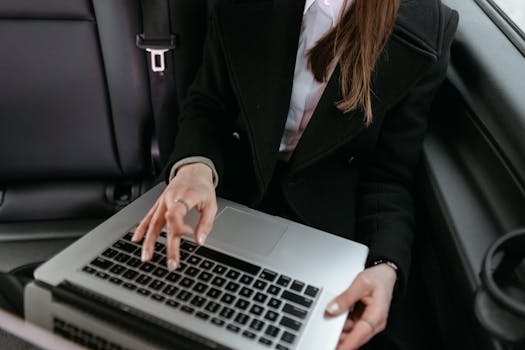
The Mobile Office Setup That Changed My Life Forever
I still remember the scent of stale coffee and printer toner. My cubicle, a beige box adorned with aspirational post-it notes, was my entire world for eight hours a day, five days a week. My window overlooked another building, and my biggest adventure was the walk to the nearest sandwich shop. I was productive, I was professional, and I was utterly, soul-crushingly uninspired.
Then came the turning point. A friend, a freelance designer, posted a photo of her "office" – a laptop perched on a rattan table, overlooking a turquoise ocean in Thailand. No stuffy suit, no endless meetings, just the gentle hum of the waves and the glow of her screen. A spark ignited within me, a flicker of possibility that quickly grew into a roaring flame. Could I do that? Could I truly set up a mobile office anywhere and escape the beige prison?
The answer, after months of research, planning, and a leap of faith, was a resounding YES. It wasn't just about changing my job; it was about redesigning my entire life. It’s been three years since I traded my cubicle for co-working spaces in Lisbon, cafes in Rome, and even a treehouse in Costa Rica, and I can honestly say, setting up my mobile office changed my life forever. It gave me freedom, perspective, and a sense of adventure I never knew I was missing. If you're yearning for a similar transformation, you're in the right place. Let's dive into how you can do it too.
1. The Mindset Shift: More Than Just a Laptop
Before you even think about gear or destinations, you need to recalibrate your mind. This isn't just about packing a laptop; it's about embracing a new way of living and working.
Why are you doing this?
For me, it was the craving for freedom – freedom to explore, to learn, to live without the constraints of a fixed location. For you, it might be about spending more time with family, pursuing a passion, or simply experiencing the world beyond your hometown. Define your "why" because it will be your compass when things get tough (and they will!).
Embrace the Unknown:
Leaving the stability of a traditional job or lifestyle is daunting. There will be moments of doubt, internet outages in crucial moments, and the occasional feeling of loneliness. My first week in Chiang Mai, Thailand, I felt completely overwhelmed. The language barrier, the unfamiliar food, the sheer newness of everything almost sent me packing. But remembering my "why" – to experience life fully – pushed me through. I found a fantastic co-working space, met other digital nomads, and slowly, the unfamiliar became home. This lifestyle demands resilience and adaptability.
Discipline is Your New Boss:
The biggest misconception about mobile offices is that it's all beaches and cocktails. While those moments exist, the reality is you still have to work. In fact, you often need more discipline. There's no manager looking over your shoulder. You are your own accountability partner. I quickly learned that maintaining a routine, even a flexible one, was crucial. Setting specific work hours, even if it's just 9 AM to 1 PM, helps maintain productivity and prevents work from bleeding into every waking moment of your travel.
This mindset shift is foundational. Without it, the best gear and destinations won't matter. You need to be ready for the journey, both professionally and personally.
2. The Essential Gear: My Core Mobile Office Setup
This is where the rubber meets the road – or, more accurately, where the laptop meets the beachside cafe table. Your gear is your lifeline, your portable portal to productivity. Over the years, I've refined my setup to be efficient, lightweight, and robust.
- The Brain: Your Laptop (The Lighter, The Better!)
- My Pick: A MacBook Air M2 (13-inch). It’s incredibly light (just 2.7 lbs!), has phenomenal battery life (often 15+ hours for my tasks), and enough power for my writing, photo editing, and video calls.
- Alternatives: Dell XPS 13, ASUS ZenBook 14, or a high-end Chromebook if your work is entirely cloud-based.
- Pro Tip: Invest in a good sleeve and a hardshell case. Your laptop will take a beating in airports and backpacks.
- The Game Changer: A Portable Monitor
- My Pick: An ASUS ZenScreen (15.6-inch). This was a revelation. Having a second screen dramatically boosts my productivity, especially when I'm managing multiple documents or designing. It connects via a single USB-C cable and fits perfectly in my backpack.
- Why it's essential: I used to struggle with single-screen limitations, constantly alt-tabbing. Now, I can have my writing on one screen and research or communication tools on the other. It feels like a mini-desktop setup anywhere.
- Price: Expect to pay $150-$300 for a good one. Totally worth it.
- Your Sanctuary: Noise-Cancelling Headphones
- My Pick: Sony WH-1000XM4 (or XM5 now!). These are non-negotiable. Whether you're on a noisy flight, in a bustling cafe, or trying to focus in a vibrant hostel common area, these headphones are your personal cone of silence. They’re also fantastic for calls.
- Alternatives: Bose QuietComfort series.
- Pro Tip: Always carry a wired backup option or an airplane adapter for older entertainment systems.
- Connectivity is King: Staying Online Anywhere
- Local SIM Cards: The first thing I do in a new country is buy a local SIM card with a generous data plan. They’re usually cheap and offer reliable internet. In Portugal, I got 30GB for €15.
- Portable Wi-Fi Hotspot (MiFi): I carry an unlocked MiFi device. When local SIMs aren't enough or I'm in a remote area, I can pop in a regional SIM or a travel SIM.
- Phone Hotspot: Your phone is your primary backup. Be mindful of data roaming charges if not using a local SIM.
- Ethernet Adapter: Some co-working spaces or hotels offer faster wired connections. A small USB-C to Ethernet adapter is a lifesaver for big uploads or crucial calls.
- The "Wifi Map" App: This app often has passwords for nearby public Wi-Fi networks. A true digital nomad secret weapon!
- Powering Up: Never Run Out of Juice
- Universal Travel Adapter: A must-have with multiple USB ports. Look for one that handles various plug types (US, EU, UK, AU).
- High-Capacity Power Bank: My Anker PowerCore III Elite (25600mAh) can fully charge my laptop once and my phone multiple times. It’s heavy but invaluable for long travel days or when outlets are scarce.
- Multi-Port USB Wall Charger: Instead of carrying multiple chargers, a single GaN charger with 2-4 USB-C/A ports lets you charge all your devices from one outlet.
- Ergonomics on the Go: Protecting Your Body
- Portable Laptop Stand: A simple foldable stand elevates your screen to eye level, preventing "tech neck." I use a lightweight aluminum one that collapses flat.
- External Mouse & Keyboard: For longer work sessions, a compact Bluetooth mouse (like the Logitech MX Anywhere) and a foldable keyboard are much more comfortable than your laptop's trackpad and keyboard. Your wrists will thank you.
- The Vessel: Your Backpack
- My Pick: A Nomatic Travel Backpack (30L). It’s designed for organization, has dedicated tech pockets, is weather-resistant, and comfortable to carry for extended periods. It also looks professional enough for client meetings.
- What to look for: Durability, comfort, separate compartments for tech and clothes, easy access pockets, and TSA-friendly features.
- Software Essentials:
- Cloud Storage: Google Drive, Dropbox, OneDrive. Sync everything!
- Communication: Slack, Zoom, Google Meet.
- Productivity: Todoist, Trello, Asana for task management. Grammarly for writing.
- Security: A robust VPN (Virtual Private Network) is crucial for public Wi-Fi. NordVPN or ExpressVPN are popular choices.
This setup, while an initial investment, pays dividends in comfort, productivity, and peace of mind. Remember, less is often more, but don't compromise on the essentials that enable your work.
3. Finding Your Workspace: From Beaches to Cafes
The beauty of a mobile office is the sheer variety of your "office." I've worked from some truly incredible (and some hilariously challenging) places.
- Co-working Spaces: Your Home Away From Home
- The Gold Standard: When I need serious focus and reliable internet, co-working spaces are my go-to. They offer a professional environment, often with ergonomic chairs, monitors, and the invaluable opportunity to network.
- Specifics: My absolute favorite was Hubud in Ubud, Bali. Imagine working in a bamboo structure overlooking rice paddies, surrounded by inspiring entrepreneurs from around the globe. Day passes were around $15, monthly memberships $150-$200. In Lisbon, Second Home Lisboa offered stunning river views and a vibrant community for similar prices.
- Pros: Great internet, community, professional atmosphere, amenities (coffee, printers, meeting rooms).
- Cons: Can be pricey, not always available in smaller towns.
- Pro Tip: Many offer a free trial day. Use it to check the vibe and internet speed.
- Cafes: The Vibe & The Buzz
- My Go-To for Casual Work: I love the energy of a good cafe. The smell of fresh coffee, the gentle background chatter – it often sparks creativity. In Rome, I found "Barnum Cafe" near Campo de' Fiori, a cozy spot with decent Wi-Fi and fantastic espresso, where I'd spend mornings writing. A coffee and pastry might cost €5-8.
- Pros: Ambient noise, easy access, often affordable, great for people-watching.
- Cons: Unreliable Wi-Fi, limited power outlets, can be too noisy for calls, not ideal for long sessions (cafe etiquette: don't hog a table for hours on just one coffee).
- Pro Tip: Buy something every hour or two. Be considerate.
- Rental Accommodations: Airbnb & Beyond
- When booking Airbnbs or hotels, I always filter for "laptop-friendly workspace" and check reviews for Wi-Fi quality. I've found some gems, like a charming apartment in Seville with a sun-drenched balcony perfect for morning emails.
- Pros: Privacy, comfort, control over your environment, sometimes a kitchen.
- Cons: Can be isolating, internet quality varies wildly.
- Personal Anecdote: That time I worked from a rustic treehouse in Monteverde, Costa Rica. The Wi-Fi was surprisingly robust, and my "co-workers" were hummingbirds and howler monkeys. It was magical, but definitely not for a client call!
- Libraries & Public Spaces:
- Often overlooked, public libraries in many cities offer free Wi-Fi, quiet spaces, and power outlets. University libraries can also be great if you can get access. Public parks with good benches and strong cell signal can also work for light tasks.
- Pros: Free, quiet, often central.
- Cons: Security concerns for your gear, less private, can be boring.
- The Great Outdoors (with caveats!):
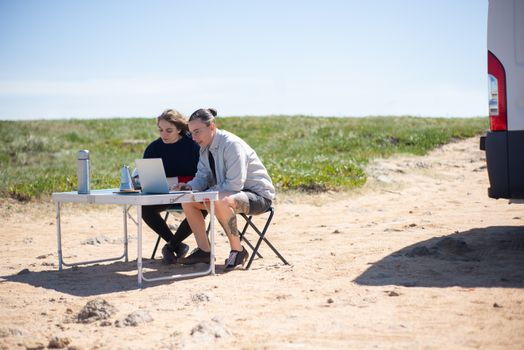
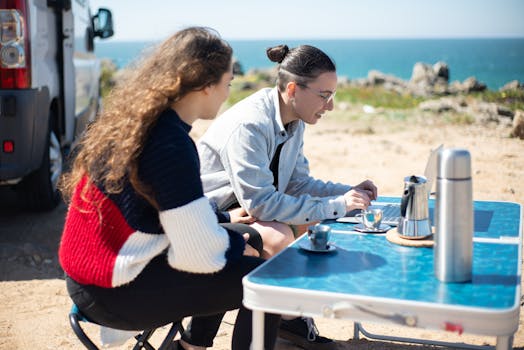
- Yes, I've worked from a beach in Portugal (Praia da Adraga, near Sintra) with my portable monitor, shaded by an umbrella. It was glorious for an hour or two. But glare, sand, heat, and battery life quickly remind you it's not sustainable for a full workday.
- Pros: Unbeatable views, fresh air, inspiration.
- Cons: Glare, heat, sand, unpredictable weather, security, limited power.
- Instagram-Worthy Moment: Snap that photo, but then retreat to a more practical spot for serious work!
The key is flexibility. Have a primary go-to (co-working or a reliable cafe), a backup plan (your Airbnb), and a dream spot for when you need a dose of inspiration.
4. Mastering Productivity & Staying Connected
Working from anywhere sounds idyllic, but it requires serious self-management to stay productive and connected to your team or clients.
- Time Management & Routine:
- The Pomodoro Technique: 25 minutes of focused work, 5-minute break. Repeat. This is a lifesaver for maintaining focus, especially when distractions are abundant (like a beautiful new city calling your name!).
- Block Scheduling: Dedicate specific blocks of time for deep work, communication, and administrative tasks. My mornings are for writing, afternoons for calls and emails.
- Set Boundaries: It’s easy for work to bleed into your travel time. Decide when you start and when you finish. Tell clients your working hours (factoring in time zones). Stick to it. I learned this the hard way trying to answer emails at midnight in Bali, while my US clients were just starting their day.
- Effective Communication (Time Zones Be Damned!):
- Asynchronous Communication: Whenever possible, use tools like Slack or email for communication that doesn't require immediate responses. This is crucial for bridging time zones.
- Scheduled Calls: For real-time meetings, use a scheduling tool like Calendly that automatically adjusts for time zones. Try to batch calls to minimize disruption to your day. Early mornings or late evenings might be unavoidable depending on your client's location.
- Clear Expectations: Be upfront with clients and colleagues about your time zone and availability. Transparency builds trust.
- Maintaining Well-being:
- Exercise: Don't let travel derail your fitness. Explore local gyms, go for walks, try yoga in a park. My morning runs through the streets of Rome or along the beaches of Portugal kept me sane and energized.
- Breaks & Exploration: The whole point of this lifestyle is to experience new places. Take regular breaks to explore, try local food, or simply people-watch. A quick walk around a new neighborhood can spark creativity.
- Digital Detox: Schedule periods where you completely disconnect. No work, no social media. It's vital for mental health and preventing burnout. That means putting the laptop away and truly immersing yourself in your surroundings.
- Networking with Other Nomads: Loneliness can be a real challenge. Seek out other digital nomads through co-working spaces, Facebook groups (e.g., "Digital Nomads Around the World"), or apps like Nomad List. Building a community provides support, advice, and social connection. I've made lifelong friends this way, sharing tips on everything from visa runs to the best local street food.
5. The Financials: Making it Sustainable
The "dream life" still requires a solid financial foundation. This isn't a vacation; it's a lifestyle, and budgeting is key.
- Budgeting for the Nomad Life:
- Track Everything: Use apps like Mint or spreadsheets to track your income and expenses. Understand where your money is going.
- Cost of Living Research: Before choosing a destination, research its cost of living. Nomad List is an invaluable resource for comparing costs (rent, food, co-working, activities) in different cities.
- Location, Location, Location: Your money goes much further in Southeast Asia (e.g., Chiang Mai, Thailand) or parts of Eastern Europe (e.g., Tbilisi, Georgia) compared to Western Europe or North America. My monthly expenses in Bali (rent, food, co-working, activities) were around $1200-$1500, whereas in Lisbon, they were closer to $2000-$2500.
- Emergency Fund: Always have at least 3-6 months of living expenses saved up. Unforeseen circumstances (lost clients, medical emergency, flight cancellations) are part of the nomad journey.
- Finding Your Income Stream:
- Remote Jobs: Many companies are now fully remote. Websites like Remote.co, We Work Remotely, and LinkedIn are great places to start. Look for roles in tech, marketing, content creation, design, customer service, etc.
- Freelancing/Clients: If you have marketable skills (writing, web development, graphic design, social media management), platforms like Upwork, Fiverr, or even your existing network can help you find clients. This is how I started, building my travel blogging and content strategy business.
- Building Your Own Business: This is the ultimate freedom. Start an e-commerce store, a blog, a consulting service. It takes time but offers unparalleled flexibility.
- Banking & Insurance:
- Travel-Friendly Bank Accounts: Look for banks with no foreign transaction fees and ATM fee reimbursements (e.g., Charles Schwab in the US, Revolut or N26 in Europe).
- Travel Insurance: This is non-negotiable. I use SafetyWing, which is specifically designed for digital nomads, offering both travel and medical insurance that covers you worldwide (even in your home country for short periods). Expect to pay $40-$60 per month. Don't skimp on this! A bad fall in Vietnam taught me the importance of good coverage.
Financial planning is the bedrock of a sustainable mobile office lifestyle. It allows you to focus on your work and adventures, rather than constantly worrying about money.
The Life-Altering Transformation
Setting up my mobile office wasn't just about swapping a desk for a beach. It was about swapping a life of routine for a life of intentionality. It taught me resilience, adaptability, and the profound joy of seeing the world through my own eyes, not through a screen. I've learned to cook Pad Thai from scratch in Thailand, hiked volcanoes in Guatemala, and navigated bustling souks in Morocco, all while building a thriving career.
This lifestyle isn't a permanent vacation; it's a commitment to personal growth and professional freedom. It has its challenges – the occasional dodgy Wi-Fi, the time zone gymnastics, the goodbyes to new friends – but the rewards far outweigh them. The sense of accomplishment from closing a deal while overlooking the Mediterranean, the inspiration drawn from diverse cultures, the sheer joy of living life on your own terms – these are priceless.
If the thought of a mobile office sparks a fire in your belly, don't extinguish it. Fan the flames. Start small, plan meticulously, and take that leap. Your world is waiting.
What's stopping you from setting up your mobile office? Share your dream workspace in the comments below!
---