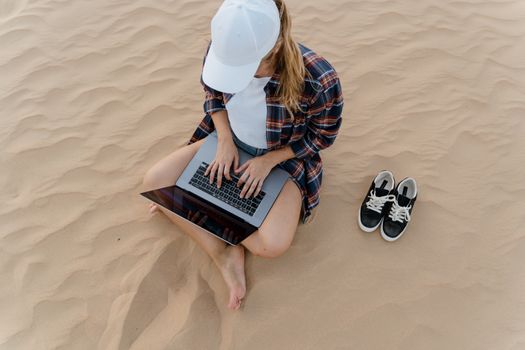
The gentle lull of waves, the warm sun on your skin, a refreshing drink within reach, and your laptop open, ready to conquer your to-do list. Ah, the quintessential digital nomad dream! We’ve all seen those impossibly perfect Instagram shots: a tanned, serene figure tapping away on a sleek laptop, ocean sparkling in the background. What those photos don't show you, however, is the terrifying near-death experience that MacBook had just moments before, or the frantic dash to save it from an unexpected rogue wave. Trust me, I’ve been there. My first attempt at "beach office chic" ended with a grain of sand lodged so deep in my space bar, it took a professional cleaning (and a small prayer) to dislodge. And don't even get me started on the time my screen went black from overheating, mid-deadline, under what I thought was adequate shade.
That’s why I’m here, folks. As a seasoned Tripsora explorer who’s battled the elements from the shores of Thailand to the cenotes of Mexico, I’ve learned a thing or two about making the beach office dream a reality – without destroying your most essential tool. Because let’s face it, working from a beach isn't just about the aesthetics; it's about smart planning, the right gear, and a healthy respect for Mother Nature. So, grab your virtual sunscreen, and let's dive into the ultimate guide to keeping your laptop safe, sound, and sand-free in paradise.
The Unseen Enemy: Why Beaches Are Laptop Killers (and How to Fight Back)
Before we even talk about gear, let's get real about the battlefield. The beach, as glorious as it is, is a hostile environment for electronics. Understanding these threats is the first step to victory.
- Sand: The Silent Assassin. It’s beautiful, it’s soft, and it’s everywhere. Sand particles are incredibly abrasive and tiny enough to infiltrate every crevice of your laptop – keyboard, ports, fan vents. Once inside, it acts like sandpaper, grinding away at delicate components, causing overheating, shorts, and catastrophic failures. My space bar incident? Pure sand.
- Saltwater & Humidity: The Corrosive Duo. Even if you don’t dunk your laptop (please don’t!), the salty sea spray carried on the breeze is enough to cause damage. Salt is corrosive, leading to rust and short circuits over time. High humidity, especially in tropical climates, can cause condensation inside your device, inviting corrosion and malfunctions. I once had a key stop working in Koh Lanta, and the technician blamed "salt residue." Lesson learned.
- Sun: The Overheating Nemesis. Direct sunlight is your laptop’s worst enemy. It causes rapid overheating, which can slow down your processor, drain your battery in record time, and even cause permanent damage to internal components. Ever had your laptop shut down unexpectedly with a "thermal event" warning? Yeah, that was the sun trying to cook it.
- Glare: The Productivity Killer. Even if you manage to keep your laptop cool, the sun's glare on your screen makes it nearly impossible to see anything. You'll squint, strain your eyes, and ultimately give up in frustration.
- Theft: The Obvious Risk. While not an environmental threat, an unattended laptop on a beach is an open invitation for opportunistic thieves. Always be vigilant.
Gear Up: Your Essential Beach-Proof Arsenal
Conquering these threats requires preparation. Think of yourself as a tech-savvy commando, assembling your mission-critical kit.
- The Ultimate Laptop Armor (Bags & Sleeves):
- Dry Bag: This is non-negotiable. A good quality waterproof dry bag (like those from Osprey or Sea to Summit) is your first line of defense against splashes, sand, and even a sudden downpour. Ensure it's large enough for your laptop and its sleeve.
- Padded Laptop Sleeve: Inside the dry bag, your laptop needs a padded sleeve for impact protection. Look for water-resistant materials. Brands like Peak Design offer excellent, durable options.
- My anecdote: My first "beach bag" was a flimsy tote. One unexpected splash from a playful dog, and I was scrambling. Now, my MacBook lives in a sealed dry bag, tucked into a padded sleeve, ready for anything.
- Glare-Busters & Eye Savers:
- Anti-Glare Screen Protector/Hood: A matte screen protector drastically reduces glare. For serious sun, consider a portable laptop hood (often used by photographers) that creates a shaded viewing tunnel.
- High-Brightness Screen: If you’re buying a new laptop, prioritize models with high nits (brightness) for better outdoor visibility. MacBook Pros and Dell XPS are great, but even then, shade is king.
- Pro Tip: Wear polarized sunglasses. They help reduce glare on your screen, too!
- Powering Paradise: Keeping the Juice Flowing:
- High-Capacity Power Bank: A minimum of 20,000mAh is essential, preferably 30,000mAh or more, especially if you have a power-hungry laptop. Anker and Goal Zero offer reliable options. Look for USB-C PD (Power Delivery) for faster laptop charging.
- Solar Charger (Manage Expectations): While cool, solar chargers are often slow for laptops. They’re better for topping up phones or smaller devices. Don't rely on one as your primary laptop power source unless you have a very large, dedicated panel setup.
- Power Strip with Surge Protection: If you find a cafe with an outlet, a small, portable power strip can be a lifesaver for all your devices, and surge protection is always smart.
- Cooling Solutions: Beat the Heat:
- Elevated Laptop Stand: Getting your laptop off a flat surface improves airflow. A simple, foldable stand or even a book can help.
- USB Cooling Fan: A small, portable USB-powered fan can provide extra airflow, especially if you’re working in a humid, still environment.
- The Golden Rule: No amount of cooling gear beats good old shade. Always prioritize working in the shade.
- Fortifying Your Ports & Keyboard:
- Silicone Keyboard Cover: This is a cheap, effective barrier against sand, dust, and minor spills.
- Port Plugs: Small silicone plugs for USB, HDMI, and headphone jacks keep sand and moisture out.
- My experience: After the space bar incident, a keyboard cover became my best friend. It’s saved me from countless sand invasions and even a rogue splash of coconut water.
- Connectivity & Comfort:
- Portable Wi-Fi Hotspot/Local SIM: Don’t rely solely on dodgy cafe Wi-Fi. A portable hotspot with a local SIM card (e.g., a Telkomsel SIM in Indonesia or AIS in Thailand) gives you reliable internet access.
- Noise-Canceling Headphones: The sound of waves is lovely, but sometimes you need to focus. Good noise-canceling headphones (Bose QC or Sony WH-1000XM series) are invaluable for blocking out beach vendors, screaming kids, or even just the wind.
- VPN: Essential for secure browsing on public Wi-Fi.
Strategic Setup: Location, Location, Location (and How to Pick It)
You have your gear, now where do you set up shop? The answer is almost never directly on the sand.
- Embrace the Beach Club/Cafe: This is your best bet.
- Shade & Shelter: Look for beach clubs or cafes with ample covered seating, preferably with a view of the ocean. Many offer day beds or cabanas that provide excellent shade.
- Power & Wi-Fi: Many establishments catering to tourists or digital nomads will have reliable Wi-Fi and accessible power outlets. Always ask upfront.
- Examples:
- Bali, Indonesia: Places like Finns Beach Club or Potato Head in Canggu/Seminyak often have designated areas with power and good Wi-Fi. Expect a minimum spend (e.g., IDR 500,000 for a day bed, roughly $35 USD, which you can spend on food/drinks). Even smaller, local beachfront warungs in places like Sanur or Amed can offer great, cheap spots if you buy a few drinks.
- Playa del Carmen, Mexico: Many beach clubs along 5th Avenue offer day passes or minimum spends that include beach beds, Wi-Fi, and sometimes even outlets.
- Koh Lanta, Thailand: Numerous relaxed beach bars along Long Beach or Klong Dao offer shaded tables right on the edge of the sand, often with decent Wi-Fi. A fresh fruit shake and a Pad Thai can buy you hours of "office" time for under $10 USD.
- My story: My most productive beach-side day was at a small cafe in Uluwatu, Bali. They had a covered patio overlooking the ocean, a strong breeze, and excellent coffee. I bought two coffees and a nasi goreng, and worked for 4 hours completely uninterrupted, my laptop cool and my mind clear.
- Hotel Balconies/Patios: If your accommodation offers a sea view, your private balcony or patio can be an excellent, secure, and shaded "beach office." You have direct access to power and your own Wi-Fi.
- Portable Shade Solutions (Use with Caution):
- Beach Umbrella/Pop-Up Tent: If you absolutely must be on the sand, bring your own substantial umbrella or a small pop-up beach tent. This is more for short bursts of work.
- Elevated Surface: Even with a tent, get your laptop off the sand. A small, foldable beach table or even a sturdy cooler can work.
- Warning: Wind can be a serious issue with these. A sudden gust can send your setup (and laptop) flying.
- Security First: No matter where you set up, always be aware of your surroundings. Keep your bag within reach, don't leave your laptop unattended even for a moment, and consider a small cable lock if you plan to step away briefly in a public setting.
The Art of the Workflow: Maximizing Productivity, Minimizing Risk
It's not just about where you work, but how. Optimize your workflow for the beach environment.
- Work During Cooler Hours: The golden hours of beach work are early morning (before 10 AM) and late afternoon (after 4 PM). The sun is less intense, and the air is cooler. Avoid the midday sun at all costs. My mid-day "laptop meltdown" taught me this the hard way – it’s just not worth the risk.
- Offline First Mentality: Before you even leave your hotel, download all necessary files, emails, and resources. Work offline as much as possible to conserve battery and avoid unreliable internet. Sync your work to cloud storage (Google Drive, Dropbox) whenever you have a stable connection.
- Short, Focused Bursts: The beach is distracting (in the best way!). Instead of long, continuous work sessions, try the Pomodoro Technique: 25 minutes of focused work, 5-minute break to enjoy the view. This also gives your laptop a chance to rest and cool down.
- Cloud Backup is Your Best Friend: Always, always, always back up your work to the cloud frequently. If the worst happens and your laptop gets damaged or stolen, your data will be safe.
- Digital Detox & Enjoyment: Remember why you’re doing this! Set boundaries for your work. Once your tasks are done, close the laptop, put it away, and fully immerse yourself in the beach experience. Go for a swim, read a book, or simply watch the sunset. Don't let the "office" consume your paradise.
Beach Etiquette & Local Charm: Blending In and Staying Safe
Part of being a responsible digital nomad is respecting your surroundings and the local culture.
- Support Local Businesses: If you're using a cafe or beach club's facilities, make sure to purchase food and drinks. A small coffee can often secure you a prime "office" spot for hours. It’s good karma and good business.
- Respect the Environment: Leave no trace. Pack out everything you pack in. Be mindful of your noise levels. Don't be "that person" blasting music or having loud video calls.
- Stay Hydrated (You, Not Just the Laptop!): Working in a warm climate, it’s easy to get dehydrated. Keep a reusable water bottle (like a Hydro Flask) filled with water. It’s good for you and better for the environment.
- Travel Insurance with Electronics Coverage: Before you leave home, ensure your travel insurance policy covers electronics for theft, loss, and accidental damage. Read the fine print! My World Nomads policy saved me when my camera took an unexpected dive into a river (a story for another time!).
The Dream Achieved: My Favorite Beach Office Spots (and What I Learned There)
Over the years, I’ve found some truly magical spots that perfectly blend productivity with paradise.
- The Secret Cove Cafe, Koh Lanta, Thailand: Tucked away on a less-trafficked beach, this rustic cafe became my sanctuary. They had bamboo tables under a sprawling tree, offering dappled shade, and surprisingly strong Wi-Fi. I’d order a mango smoothie and a plate of spring rolls, and spend my mornings writing. The only "distraction" was the occasional monkey swinging through the trees. It taught me that sometimes, the most authentic experiences come from seeking out the local, unpretentious spots. Cost: ~$7-10 USD for food and drinks for a few hours.
- Co-Working Space with a View, Tulum, Mexico: While not directly on the sand, a co-working space I found in Tulum offered an open-air common area with a stunning view of the Caribbean. It had reliable power, super-fast internet, and the security of a dedicated workspace, but with the added bonus of the ocean breeze and the sound of waves. It was the perfect compromise for days when I needed absolute focus without sacrificing the "beach vibe." Cost: ~$15-20 USD for a day pass.
- The Shady Balcony, Santorini, Greece: My rented Airbnb in Oia had a small, covered balcony overlooking the caldera and the Aegean Sea. This became my ultimate private beach office (minus the sand). With endless coffee from my kitchen and uninterrupted views, I was able to tackle complex projects in complete peace, knowing my laptop was secure and perfectly shaded. It reinforced that "beach office" doesn't always mean on the beach; sometimes, a strategic vantage point is even better. Cost: Included in accommodation.
These experiences, both the triumphs and the near-disasters, have shaped my approach. The dream of working from a beach is absolutely achievable, but it requires a bit of smarts, a dash of preparation, and a whole lot of respect for the beautiful, yet challenging, environment.
---
So, there you have it, fellow Tripsora adventurers. The secrets to turning that Instagram fantasy into your productive reality, without sacrificing your precious tech. The beach is calling, and now you’re equipped to answer without fear. Go forth, digital nomad, and conquer those deadlines from paradise. Just remember: shade, protection, and a healthy dose of common sense.
Have you mastered the art of the beach office? Share your favorite tips, gear recommendations, or even your own near-disaster stories in the comments below! We love hearing from you!