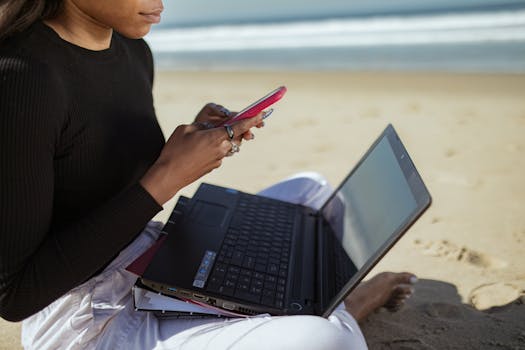
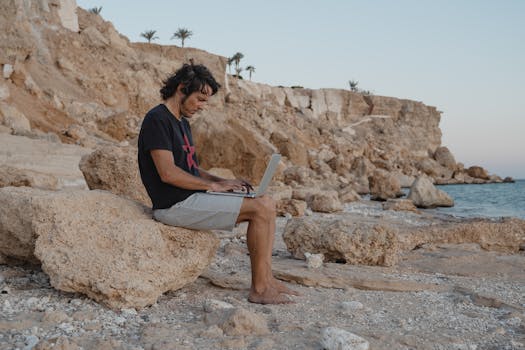
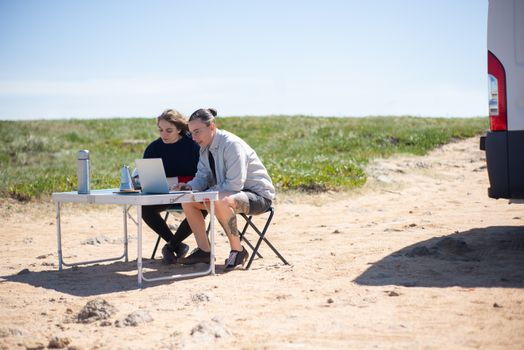
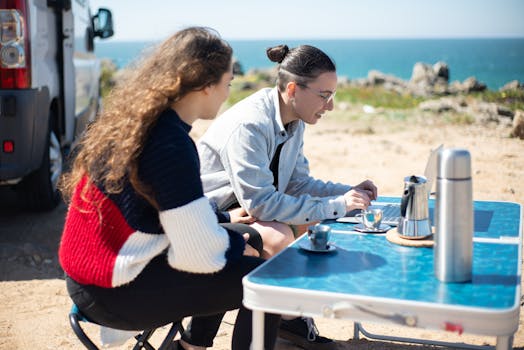
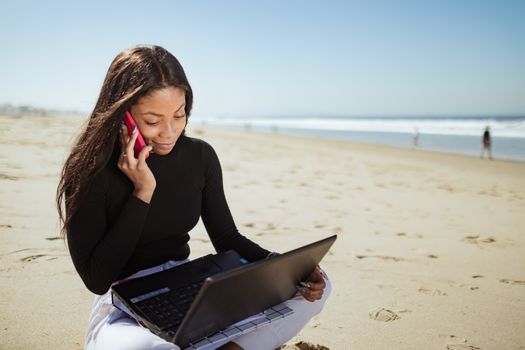
The gentle lapping of waves against the shore. The warm sun kissing your skin. A fresh coconut water by your side. And your laptop, open, as you tap away at your next big project. This isn't just a fantasy; it's the ultimate digital nomad dream, and for years, it felt utterly unattainable to me without risking a small fortune in electronics.
I still remember my first ill-fated attempt. It was a stunning afternoon on a secluded beach in Thailand, Krabi. I’d hauled my trusty MacBook Pro, full of optimism, to a patch of shade under a palm tree. Within minutes, the screen was an unreadable glare, the sand had found its way into every crevice despite my best efforts, and the humidity was making my fingers stick to the keyboard. My laptop, bless its heart, was cooking hotter than a forgotten sausage on a grill. The dream quickly dissolved into a sweaty, sandy, tech-anxious nightmare. I packed up, defeated, and retreated to an air-conditioned cafe, vowing to crack the code or give up on the beach office forever.
But the allure of that salty breeze and endless horizon was too strong to ignore. I became obsessed with finding a way to make it work. I researched, experimented, failed, and finally, triumphed. Now, after countless successful beach office sessions from the shores of Mexico to the coves of Portugal, I’m here to tell you: you absolutely can work from a beach without destroying your laptop. And trust me, it’s an experience you need to have before you die.
Ready to trade your cubicle for a cabana? Let's dive in.
---
1. The Beach Office Dream vs. Reality: A Candid Look at the Challenges
Let's be real. The Instagram-perfect shot of someone effortlessly typing on a pristine beach often omits the hidden struggles. Before we talk solutions, let's acknowledge the enemies of your tech:
- Sun Glare: The most immediate and frustrating foe. A bright screen becomes a mirror, making work impossible and straining your eyes.
- Overheating: Direct sun exposure and high ambient temperatures are a laptop's worst nightmare. Your device will slow down, battery life will plummet, and internal components can be permanently damaged.
- Sand: The silent killer. Tiny, abrasive particles can infiltrate keyboards, ports, fans, and screens, causing scratches, blockages, and malfunctions.
- Water & Humidity: A rogue wave, an accidental splash, or even just high humidity can short-circuit electronics and cause corrosion.
- Power & Connectivity: Beaches aren't known for their abundance of power outlets or reliable Wi-Fi.
- Comfort & Ergonomics: Slouching on a towel with a laptop on your knees is a recipe for back pain and poor posture.
- Security: Leaving your expensive gear unattended, even for a moment, is a risk.
My first experience in Krabi taught me all of these lessons the hard way. The screen was a mirror, the heat made my laptop sound like a jet engine, and despite a towel, sand seemed to teleport directly into my keyboard. It was a humbling, yet crucial, learning experience that forged my resolve to master the beach office.
---
2. Gearing Up: Your Essential Beach Office Arsenal
Success begins with preparation. Think of your beach office setup like a special ops mission – you need the right tools for the environment.
- The Laptop Itself (and its Protectors):
- Screen Glare Solution: This is non-negotiable. A matte screen protector is your first line of defense. For serious sun, invest in a portable laptop shade or hood. I swear by the Laptop Hood by ShadeForYou (around $40-60 on Amazon) – it's foldable, lightweight, and transforms an unreadable screen into a perfectly clear workspace.
- Keyboard Cover: A thin, silicone keyboard cover (often under $10) is a lifesaver against sand and accidental splashes. It’s cheap insurance.
- Protective Sleeve/Case: A padded, waterproof sleeve or a dry bag is essential for transport. Brands like Sea to Summit or Ortlieb offer excellent dry bags that will keep your laptop safe from water and sand during transit.
- Power Solutions:
- High-Capacity Power Bank: A minimum of 20,000mAh is recommended, but 30,000mAh or more is ideal, especially if you have a power-hungry laptop. Anker and Jackery are reliable brands. Look for ones with USB-C Power Delivery (PD) for faster laptop charging. (Expect to pay $80-$200).
- Portable Solar Charger (Optional but great): For longer stints or truly remote beaches, a foldable solar panel can top up your power bank. They're getting lighter and more efficient. Goal Zero and BioLite are good options. (Starts around $100+).
- Connectivity:
- Portable Hotspot/Local SIM: Relying on beach Wi-Fi is a gamble. A local SIM card with a generous data plan or a dedicated portable hotspot like the Netgear Nighthawk M1 is crucial. eSIMs (via apps like Airalo or Holafly) make this even easier for international travel. (SIM cards can be $10-$30 for a month, hotspots $100-$300 upfront plus data).
- Comfort & Ergonomics:
- Portable Lap Desk/Stand: Get your laptop off the sand and into a comfortable position. Simple foldable lap desks or even a sturdy, flat book can work. I use a lightweight, collapsible aluminum laptop stand that elevates my screen and allows for better airflow, paired with a small Bluetooth keyboard and mouse.
- Beach Chair/Mat: While a towel is tempting, a low-profile beach chair or a thick, sand-proof mat will provide much better support for hours of work.
- Cleaning & Maintenance:
- Dust Blower Brush: A small, manual air blower (like those used for camera lenses) is perfect for gently dislodging sand from keyboards and ports.
- Microfiber Cloths: For wiping screens and surfaces without scratching.
- Silica Gel Packs: Toss a few into your laptop bag, especially in humid environments, to absorb moisture.
My personal anecdote: One time in Tulum, a sudden, unexpected downpour hit. I had my laptop in a waterproof sleeve within my backpack, but my phone was out. Luckily, I had a small dry bag for my phone, and it emerged perfectly dry. My lesson: always assume the weather will turn, and always have a dry bag for all essential electronics.
---
3. Conquering the Elements: Sun, Sand, and Splash
With your gear ready, let's talk strategy for the actual beach environment.
3.1. Battling the Sun: Shade is Your Best Friend
- Seek Natural Shade: Palm trees or cliffs offer the best, most authentic beach office vibe. But remember, the sun moves, so be prepared to shift your setup.
- Bring Your Own Shade: A compact, UV-blocking beach umbrella or a small pop-up beach tent (like those from Decathlon or Coleman) is a game-changer. These provide consistent shade for both you and your laptop, preventing overheating and glare. (Beach tents usually $50-$150).
- Timing is Everything: Work during the cooler parts of the day – early morning (7-10 AM) or late afternoon (3-6 PM). The sun is less intense, and you'll avoid the harshest glare. Plus, fewer people!
- Screen Brightness: Max out your screen brightness to combat residual glare, but remember this drains battery faster. That's where your power bank comes in.
3.2. Outsmarting the Sand: Elevation and Prevention
- Elevate Your Setup: Never, ever place your laptop directly on the sand or even on a towel on the sand. Use your lap desk, a sturdy book, or a small portable table. The higher, the better.
- Keyboard Cover: As mentioned, this is crucial. It creates a physical barrier against sand particles.
- Strategic Placement: Sit slightly upwind if there's a breeze to prevent sand from blowing onto your gear.
- No Food/Drinks Near Laptop: This applies everywhere, but especially on the beach where sticky fingers can attract sand.
- Cleaning Routine: Before packing up, use your dust blower brush to gently clear any visible sand from your keyboard and ports. Do not use compressed air cans, as they can force particles deeper into crevices.
Personal confession: I once opened my laptop bag after a windy beach session and found a miniature dune forming on my keyboard. A quick, gentle sweep with my brush saved the day, but it taught me to be even more vigilant about elevation and wind direction.
3.3. Defying Water & Humidity: Distance and Desiccants
- Maintain Distance: Always keep a safe buffer zone from the water's edge. A sudden large wave can travel further than you think. I recommend at least 20-30 feet, more if the tide is rising.
- Waterproof Cases for Phones/Tablets: While your laptop needs more serious protection, a simple waterproof pouch for your phone is cheap and indispensable.
- Silica Gel Packs: These tiny heroes absorb moisture. Keep a few in your laptop bag, especially when working in extremely humid climates like Southeast Asia.
- Avoid Working During Rain: This seems obvious, but sometimes a sudden shower can catch you off guard. If it starts to drizzle, pack up immediately. Your dry bag will be your savior.
---
4. Powering Your Paradise: Connectivity & Ergonomics
Your beach office is only as good as its power and internet, and your body will thank you for good ergonomics.
4.1. Uninterrupted Power Flow
- Charge Everything: Before you leave your accommodation, ensure your laptop, phone, power bank, and any other devices are fully charged.
- Power Bank Discipline: Get into the habit of plugging your laptop into your power bank before its battery gets low. This prolongs your laptop's battery life and ensures continuous power.
- Solar Supplement: If you're planning a full day or multiple days on a remote beach, a solar charger is invaluable for topping up your power bank. Remember, solar charging is slower, so manage your expectations.
- Cafe Hopping (Beachside Edition): Many beach clubs or cafes located right on the sand offer power outlets and Wi-Fi. This is an excellent "hybrid" option, offering the beach vibe with all the amenities. In places like Canggu, Bali, or Playa del Carmen, Mexico, you'll find plenty of these. Expect to pay for a drink or food, which is a small price for reliable power and internet.
4.2. Seamless Connectivity
- Local SIM Cards: This is almost always the cheapest and most reliable option for internet access abroad. Data plans are often incredibly affordable. In Thailand, a tourist SIM with 30-day unlimited data costs around $20. In Mexico, you can get a Telcel SIM with gigabytes for just a few dollars.
- Portable Hotspots: If you need to connect multiple devices or prefer not to swap SIM cards, a dedicated portable hotspot is the way to go. Just remember to buy a local data SIM for it.
- eSIMs for the Win: For modern phones, eSIMs are a godsend. Download an app like Airalo, buy a data package for your destination, and activate it instantly. No physical SIM swapping needed!
- Test Before You Commit: Before setting up your entire office, do a quick speed test on your chosen internet source to ensure it's sufficient for your tasks.
4.3. Ergonomics: Your Body Will Thank You
- Elevate Your Screen: Use your portable stand to bring your laptop screen closer to eye level. This prevents neck strain.
- External Keyboard and Mouse: If possible, use a lightweight, portable Bluetooth keyboard and mouse. This allows you to position your screen at a comfortable distance and angle while keeping your hands in a natural typing position.
- Comfortable Seating: A proper beach chair with back support is far superior to a towel. Even a sturdy, low-profile chair that allows you to stretch your legs will make a huge difference over several hours.
- Take Breaks: Stand up, stretch, walk along the shore, take a dip! The beauty of the beach office is the instant access to relaxation and rejuvenation. Don't forget to enjoy it.
My go-to setup: I use a super lightweight Roost-style laptop stand (a generic brand, about $25), a foldable Bluetooth keyboard (Logitech K380, $40), and a small portable mouse (Logitech Pebble, $30). This allows me to sit comfortably, keep my screen at eye level, and protect my laptop's keyboard from sand.
---
5. Location, Location, Location: Picking Your Perfect Beach Office
Not all beaches are created equal for productivity. Here's how to choose your ideal remote workspace.
- The "Amenity-Rich" Beach Club:
- Best For: Guaranteed Wi-Fi, power outlets, comfortable seating, food/drink service, and often security. You get the beach vibe without the hassle.
- Examples:
- Canggu, Bali: Finns Beach Club, The Lawn, or countless smaller cafes right on Batu Bolong or Echo Beach. Many offer co-working spaces or just great tables with a view.
- Playa del Carmen, Mexico: Mamitas Beach Club or Kool Beach Club. You can rent a beach bed, order food, and often get decent Wi-Fi.
- Lisbon Coast, Portugal: Carcavelos Beach has several beach bars and restaurants that are laptop-friendly during off-peak hours.
- Cost: Expect to pay for drinks/food, sometimes a minimum spend or rental fee for a daybed (e.g., $20-$50 USD).
- The "Secluded Oasis" Beach:
- Best For: Utter tranquility, stunning views, deep focus, and true escapism. Requires more self-sufficiency (power banks, hot spots, shade).
- Examples:
- Koh Lanta, Thailand (Long Beach): While there are cafes, you can easily find quieter stretches to set up your own tent and enjoy the peace.
- Praia da Marinha, Algarve, Portugal: While not ideal for a full laptop setup due to lack of amenities, it's a place for inspiration, perhaps with a tablet or for short bursts of work. Best for a "digital detox" but still good for a few emails.
- El Nido, Palawan, Philippines (Nacpan Beach): A long, stunning beach where you can find your own quiet spot. You'll definitely need your own power and internet here.
- Cost: Minimal, just your supplies.
- The "Hybrid" Beach:
- Best For: A balance of peace and accessibility. A beach with a few local eateries or small guesthouses nearby that might offer power or Wi-Fi.
- Examples:
- San Juan del Sur, Nicaragua (Playa Maderas): A surf beach with a few rustic beach bars that might offer a charging point or basic Wi-Fi with a purchase.
- Gili Air, Indonesia: Many beachfront bungalows and cafes offer a laid-back vibe with enough infrastructure to work comfortably.
My favorite: I found a small, unassuming beach cafe in Koh Lanta, Thailand, right on Long Beach. It had a few tables under a thatched roof, directly facing the ocean. The Wi-Fi was surprisingly good, the coffee was strong, and the owner didn't mind me working for hours as long as I kept ordering. It was the perfect blend of amenity and authentic beach vibe. The cost? About $10 a day for coffee, lunch, and endless inspiration.
---
6. The Mindset & Habits of a Beach Digital Nomad
It's not just about the gear; it's about the discipline and appreciation.
- Set Clear Boundaries: The beach is a huge distraction! Decide on your work hours, set achievable goals, and stick to them. Avoid the temptation to constantly check your phone or gaze at the horizon when you should be focused.
- Embrace the Flow State: The natural sounds of the ocean can be incredibly calming and conducive to deep work for some. Use noise-canceling headphones if you need to block out other beach sounds (kids, music).
- Prioritize Security: Never leave your laptop unattended, even for a quick dip. If you're alone, pack up your gear and take it with you. Consider a small, portable lock if you're working at a beach cafe and need to step away briefly.
- Be Present: Remember why you're doing this. Take intentional breaks to swim, walk, or simply sit and observe. The beach office is about integrating work with life's pleasures, not just a change of scenery.
- Respect the Environment: Pack out everything you pack in. Leave no trace. Be mindful of your noise levels. We're guests in paradise.
A lesson learned: I once got so engrossed in a complex coding problem on a beach in Portugal that I completely lost track of time. When I finally looked up, the tide had come in, and my backpack (with my wallet and phone) was perilously close to getting soaked. Always be aware of your surroundings, especially the tide!
---
7. My Personal Beach Office Setup & Workflow
Here's a snapshot of what a typical successful beach office session looks like for me:
- Morning Prep (7:00 AM): Fully charge laptop, power bank, phone. Pack my dry bag with laptop in its sleeve, portable stand, Bluetooth keyboard/mouse, screen shade, water bottle, sunscreen, hat, and a light snack.
- Location Scout (8:00 AM): Arrive at my chosen beach (often a quieter cove or a beach club that's just opening). I look for natural shade first, or set up my small pop-up beach tent. I ensure I'm well above the high-tide line and away from main pathways.
- Setup (8:15 AM):
- Lay out my thick sand-proof mat.
- Set up my lightweight beach chair.
- Position my lap desk or portable stand, elevating my laptop.
- Attach my laptop screen shade.
- Connect my Bluetooth keyboard and mouse.
- Plug my laptop into the high-capacity power bank immediately.
- Activate my eSIM hotspot.
- Perform a quick speed test.
- Work Block 1 (8:30 AM - 11:30 AM): Three hours of focused work. I tackle my most demanding tasks during this time when the sun is gentler and my energy is high. I wear a wide-brimmed hat and apply sunscreen regularly.
- Break & Refresh (11:30 AM - 1:00 PM): Pack up my laptop securely in its dry bag, take a refreshing swim, walk along the beach, grab lunch from a nearby stall or cafe.
- Work Block 2 (1:00 PM - 3:00 PM): If I need more work, I'll return, often to a beach cafe with confirmed Wi-Fi and power, or re-establish my tent setup if the sun has shifted favorably. I focus on lighter tasks or emails.
- Wind Down (3:00 PM onwards): Pack everything up, thoroughly cleaning any sand with my blower brush. Head back to my accommodation, feeling accomplished and refreshed.
This routine allows me to get solid, productive work done while fully immersing myself in the beach environment. The feeling of closing my laptop, taking a deep breath of salty air, and immediately jumping into the ocean is something truly magical. It's not just about working; it's about living.
---
Ready to Dip Your Toes in the Digital Sand?
The dream of working from a beach is no longer a distant fantasy or a tech-destroying gamble. With the right gear, a strategic mindset, and a healthy respect for the elements, you can transform any shoreline into your personal, productive paradise. This isn't just about escaping the office; it's about embracing a lifestyle where work and wanderlust coexist beautifully. It's an experience that will undoubtedly enrich your life and your work.
So, what are you waiting for? Start gathering your beach office arsenal, pick your dream destination, and prepare to experience the most inspiring workspace of your life. Trust me, the sound of the waves is far better than any office soundtrack.
What's your ultimate beach office dream? Have you tried working from the sand? Share your tips, experiences, or dream locations in the comments below! Let's inspire each other to live and work more freely.