Your Office, Your World: How to Set Up a Trending Mobile Office Anywhere
The scent of freshly brewed coffee mingled with the salty air of the Atlantic. My "office" for the day was a sun-drenched balcony overlooking the vibrant streets of Lisbon, a world away from the grey office cubicle I'd once known. A gentle breeze rustled the pages of my notebook as I typed away, feeling a profound sense of liberation. That day, working on a major project from a foreign city, I truly understood the power of a well-setup mobile office.
It wasn't always this seamless. I’ve certainly had my share of Wi-Fi woes in rural Thailand, battled ergonomic nightmares on tiny hostel beds, and hunted desperately for power outlets in bustling cafes. But through trial, error, and a whole lot of travel, I've honed the art of creating a productive, inspiring workspace, no matter where I land. And guess what? It's not just for full-time digital nomads anymore. The "work from anywhere" trend is exploding, and with the right setup, you too can tap into this incredible freedom.
Are you ready to swap your commute for a captivating view? To ditch the rigid 9-to-5 for a flexible schedule that fits your life? Then grab a coffee (or a fresh coconut, if you’re already in the spirit!) because we’re diving deep into how to set up a trending mobile office that lets you thrive, not just survive, on the go.
1. The Foundation: Defining Your Mobile Office Needs & Mindset
Before you start packing gadgets, let’s get clear on why you want a mobile office and what kind of work you'll be doing. Are you a full-time freelancer managing complex projects? A remote employee needing a reliable setup for Zoom calls? Or perhaps an occasional "workationer" who just needs to check emails by the pool? Your answers will dictate your gear, your budget, and your overall strategy.
My Story:
For years, I was a project manager tied to a desk. The idea of working from anywhere felt like a pipe dream. But after a particularly draining quarter, I took a leap, scaled back my hours, and started freelancing. My first "mobile office" was literally just my laptop and phone in a backpack. It was chaotic, but it taught me invaluable lessons about what I truly needed versus what I thought I needed. I realized reliable internet and a comfortable chair were non-negotiables, while a second monitor was a luxury I could achieve with a portable solution.
Actionable Advice:
* Audit Your Work: List your daily tasks. Do you need a lot of screen real estate? Heavy processing power? Constant video calls?
* Assess Your "Nomad" Level:
* Weekend Warrior/Workationer: Focus on minimal, reliable tech for short bursts of work.
* Part-Time Remote/Hybrid: Invest in quality, compact gear that can transition easily between home and travel.
* Full-Time Digital Nomad: Prioritize durability, versatility, and comprehensive connectivity solutions.
* Cultivate a Flexible Mindset: Things will go wrong. Wi-Fi will fail, chargers will be forgotten, and you'll encounter unexpected challenges. Embrace adaptability and problem-solving. It's part of the adventure!
2. Powering Your Productivity: The Essential Tech & Connectivity Arsenal
This is where the magic happens. Your tech stack is the backbone of your mobile office. But remember, "essential" doesn't mean "everything." It means smart, compact choices that deliver maximum impact.
My Go-To Gear (and why it works):
- Laptop: A lightweight, powerful laptop is paramount. I swear by my MacBook Air M2 (around $1100-1500) for its incredible battery life, silent operation, and robust performance for writing, editing photos, and video calls. For Windows users, the Dell XPS 13 or HP Spectre x360 are fantastic, sleek alternatives.
- Portable Monitor: This was a game-changer! My ASUS ZenScreen Portable Monitor (approx. $250-350) connects via USB-C, is super thin, and doubles my screen real estate. It's fantastic for complex tasks and feels just like a dual-monitor setup at home.
- Noise-Canceling Headphones: A non-negotiable for focus in bustling environments. Sony WH-1000XM5 (around $350-400) or Bose QuietComfort Earbuds II (around $250-300) are worth every penny. They block out everything from crying babies on planes to café chatter.
- Portable Power Bank: Never be caught without juice! An Anker PowerCore 20000 PD (around $60-80) can charge my laptop once and my phone multiple times. Look for one with Power Delivery (PD) for faster charging.
- Travel Router/Mobile Hotspot: Your lifeline! While local SIM cards are great, a dedicated hotspot like the Netgear Nighthawk M6 Pro (around $800, but cheaper models exist) provides a personal, secure Wi-Fi bubble. Alternatively, a good travel router like the GL.iNet GL-AR750S-Ext (Slate) (around $70) can turn any public Wi-Fi into a secure network.
- Universal Travel Adapter with USB-C: Essential for charging all your devices in any country. I prefer ones with multiple USB ports.
- Solid State Drive (SSD): For fast, reliable external storage and backups. A Samsung T7 Portable SSD 1TB (around $100-150) is tiny, durable, and lightning-fast.
- Webcam (Optional but Recommended): While most laptops have decent built-in cameras, an external one like the Logitech C920s (around $70) offers superior quality for important video calls, especially in varying lighting conditions.
Connectivity Hacks & Tips:
* Local SIM Cards: Always your first choice for reliable, affordable data. Research providers before you arrive. In Southeast Asia, I often get 30GB for $10-15. In Europe, an eSIM from Airalo or Holafly can be incredibly convenient.
* VPN (Virtual Private Network): Crucial for security on public Wi-Fi and accessing geo-restricted content. I use NordVPN (around $4-7/month).
* Cloud Storage: Google Drive, Dropbox, OneDrive – back up everything! Assume your laptop could be lost or stolen.
* Offline Access: Download documents, maps, and even Netflix shows for those inevitable times when Wi-Fi is nonexistent.
3. Ergonomics on the Go: Comfort & Health for the Nomadic Worker
Working from a beanbag chair might sound fun for an hour, but try it for eight, and your back will stage a full-blown rebellion. Prioritizing ergonomics prevents pain, improves focus, and ensures longevity in your mobile office journey.
My Experience:
I learned this the hard way. My first few months were a blur of hunched shoulders, stiff necks, and wrist pain. I quickly realized that sacrificing comfort for "authenticity" (i.e., working on the floor of a crowded hostel common room) was a terrible idea. Investing in a few key items and developing good habits made all the difference.
Practical Solutions:
* Portable Laptop Stand: Elevates your screen to eye level, improving posture. The Roost Laptop Stand (around $80-100) is incredibly lightweight, foldable, and sturdy. Many cheaper, similar alternatives exist on Amazon.
* Portable Keyboard & Mouse: When using a laptop stand, an external keyboard and mouse are essential. I prefer a compact mechanical keyboard like the Keychron K3 Pro (around $100) for its typing comfort and portability, paired with a lightweight Logitech MX Anywhere 3 mouse (around $80).
* Finding the Right Seat: This is often the biggest challenge.
* Co-working Spaces: Designed for comfort, often with ergonomic chairs.
* Cafes/Libraries: Look for high-backed chairs or booths. Avoid low sofas.
* Airbnb/Hotels: Prioritize accommodations that explicitly mention a "dedicated workspace" or show a proper desk chair in photos. Don't be afraid to ask the host for details!
* Travel Pillow/Lumbar Support: A small, inflatable lumbar pillow can be a lifesaver for long stints in less-than-ideal chairs.
* Regular Breaks & Movement: Set a timer! Every 45-60 minutes, stand up, stretch, walk around, or do a few squats. This isn't just for your body; it also refreshes your mind.
* Eye Health: Follow the 20-20-20 rule: Every 20 minutes, look at something 20 feet away for 20 seconds. Blue light filtering glasses can also help.
4. Finding Your Zen Zone: Location Scouting & Setup Strategies
Your "office" can be incredibly diverse, from a bustling city co-working space to a tranquil spot by a lake. The key is knowing how to find and optimize these locations for productivity and inspiration.
My Favorite Mobile Office Spots (and how to find them):
- Co-working Spaces: My absolute favorite for consistent productivity.
- Why: Reliable internet, ergonomic chairs, power outlets, community, professional atmosphere.
- Where: Major cities worldwide. Look for chains like WeWork (global, premium), Selina (hostel/co-working hybrid, great for social nomads), or independent local spots.
- Cost: Day passes usually range from $15-30 USD. Monthly memberships are $150-350 USD. I often use Coworker.com or Google Maps to find options.
- Anecdote: I spent a month working from Hubud in Ubud, Bali (RIP, it’s now Outpost), which was legendary. The mix of focused work and impromptu networking sessions with other digital nomads was incredibly inspiring.
- Cafes with a Vibe:
- Why: Great atmosphere, coffee, often good Wi-Fi (but check first!).
- Where: Everywhere! Look for cafes that aren't too crowded, have ample power outlets, and comfortable seating.
- Tip: Always buy something, don't overstay your welcome, and be mindful of your volume. I found a fantastic cafe in Medellín, Colombia, called Pergamino Café, which had super-fast internet and an incredible ambiance.
- Libraries & Universities:
- Why: Quiet, free Wi-Fi, often good desks and power.
- Where: Most cities have public libraries. University libraries might require guest passes or have specific areas accessible to the public.
- Cost: Usually free!
- Airbnb/Hotel with a Dedicated Workspace:
- Why: Privacy, comfort, control over your environment.
- Tip: Filter for "laptop-friendly workspace" on Airbnb. Scrutinize photos for a proper desk and chair. Don't assume a kitchen table counts.
- Anecdote: I once rented an Airbnb in Split, Croatia, specifically because it had a large desk overlooking the Adriatic Sea. It was pricier, but the productivity boost and daily inspiration were priceless.
- Nature Spots (with a hotspot!):
- Why: Unbeatable views, fresh air, mental clarity.
- Where: Parks, beaches (if not too sunny/sandy), mountain viewpoints, national parks (with cell service).
- Tip: This is where your portable power bank and mobile hotspot shine. Be mindful of glare on your screen and protect your gear from elements (sun, sand, rain).
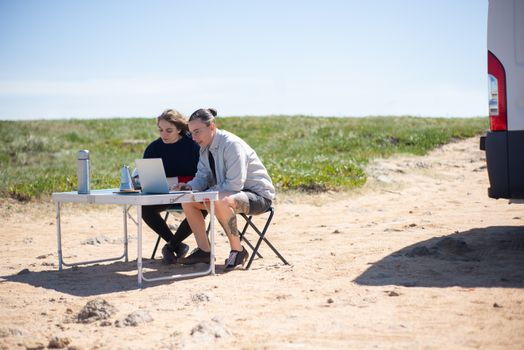
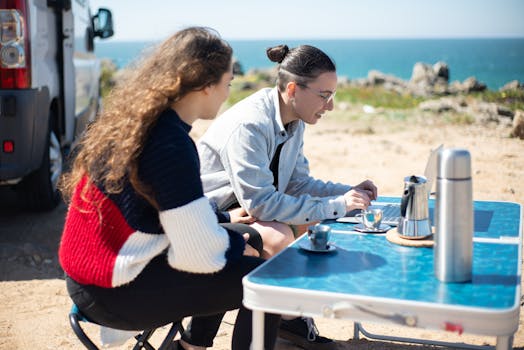
- My Dream Setup: One afternoon in New Zealand, I pulled my van up to a spot overlooking Lake Pukaki, set up my laptop on a small folding table, and worked for a few hours. The crisp air and turquoise water were the ultimate backdrop.
Setting Up Your Space:
* Cleanliness: A cluttered space equals a cluttered mind. Tidy up your area before you start.
* Lighting: Natural light is best. Avoid direct glare on your screen.
* Sound: Use headphones for calls and to block distractions.
* Personal Touches: A small plant, a favorite mug, or a framed photo (if stationary) can make a space feel more "yours."
5. Mastering the Digital Nomad Workflow: Tools, Habits & Security
A mobile office isn't just about gear; it's about optimizing your workflow and protecting your digital life.
Essential Software & Apps:
* Communication: Slack, Zoom, Google Meet, Microsoft Teams – standard for remote collaboration.
* Project Management: Asana, Trello, ClickUp, Monday.com – keep tasks organized, especially across time zones.
* Cloud Storage: (Reiterating importance) Google Drive, Dropbox, iCloud for file syncing and backup.
* Time Management: Toggl Track for tracking hours, Forest for focus (gamifies staying off your phone), Clockify.
* Password Manager: LastPass, 1Password, Bitwarden – absolutely crucial for strong, unique passwords and secure logins.
Habits for Success:
* Establish a Routine: Even without a fixed office, try to maintain some structure. Start and end your day at roughly the same time.
* Prioritize Deep Work: Schedule your most important, focus-intensive tasks for when you're most alert and least likely to be interrupted.
* Time Zone Awareness: Use a world clock app (like World Clock Widget on iOS/Android or World Time Buddy online) to coordinate with colleagues or clients in different time zones.
* Regular Check-ins: Proactively communicate with your team or clients, especially if you're in a drastically different time zone.
* Embrace Self-Care: The freedom can be intoxicating, but burnout is real. Schedule downtime, explore your surroundings, and disconnect.
Digital Security & Safety:
* VPN (Again!): Don't use public Wi-Fi without it.
* Two-Factor Authentication (2FA): Enable 2FA on all your critical accounts (email, banking, social media).
* Regular Backups: Beyond cloud storage, consider an external SSD.
* Device Security: Strong passwords/biometrics for your laptop and phone. "Find My Device" enabled.
* Physical Security: Never leave your gear unattended, even for a moment. Use a laptop lock in co-working spaces if available. Be discreet about your expensive tech. Travel insurance (see below) is essential.
6. Budgeting for Freedom: Costs, Savings & Smart Investments
The mobile office lifestyle isn't necessarily cheaper than traditional living, but it offers incredible flexibility in how you spend.
Initial Setup Costs (Approximate Ranges):
* Laptop: $1000 - $2500 (can be less if you already have one)
* Portable Monitor: $250 - $400
* Headphones: $250 - $400
* Power Bank: $60 - $100
* Hotspot/Router: $70 - $800 (depending on model/features)
* Ergonomic Gear (stand, keyboard, mouse): $200 - $400
* SSD: $100 - $200
* Travel Adapter: $20 - $50
* Total Initial Investment: $2000 - $4500+ (if starting from scratch)
Recurring Monthly Costs:
* Internet (local SIM/eSIM): $10 - $50 (highly variable by country)
* VPN Subscription: $5 - $15
* Cloud Storage: $2 - $10
* Software Subscriptions: $0 - $100+ (depending on your profession)
* Co-working Space: $0 - $350 (if you opt for monthly memberships)
* Travel Insurance: $30 - $100 (highly recommended for gear protection and medical emergencies)
* Accommodation/Living Expenses: This is your biggest variable! Could be $500 in Chiang Mai, or $2000+ in London.
Smart Savings Tips:
* Buy Used/Refurbished Gear: Many tech companies offer certified refurbished products with warranties at significant discounts.
* Leverage Loyalty Programs: For flights, hotels, and even co-working spaces.
* Cook Your Own Meals: Eating out constantly adds up. Airbnbs with kitchens are your friend.
* Balance High-Cost & Low-Cost Destinations: Spend a few months in an affordable hub like Medellín, then splurge on a shorter trip to a pricier city like Paris.
* Negotiate: Don't be afraid to ask for discounts on long-term stays or co-working memberships.
Travel Insurance:
This isn't just a cost, it's an investment. Look for policies that cover:
* Medical emergencies: Crucial!
* Lost/Stolen/Damaged Electronics: Your mobile office is your livelihood. I've personally had a camera stolen in Rome, and without insurance, it would have been a huge financial hit. Companies like SafetyWing and World Nomads are popular with digital nomads. Expect to pay $30-100 per month, depending on coverage.
7. The Unwritten Rules: Etiquette, Culture & Sustainable Nomadism
Being a mobile worker means being a guest in someone else's country, city, and even their local café. Respect and awareness are key.
Mobile Office Etiquette:
* Cafes: Buy food/drinks regularly. Don't hog outlets. Keep your volume down (use headphones!). Don't spread out across multiple tables. Be prepared to move if it gets crowded.
* Co-working Spaces: Follow the rules. Respect quiet zones. Clean up after yourself. Be open to networking but don't force it.
* Public Spaces: Be mindful of privacy if you're on a video call. Don't block pathways.
* Security: Never leave your laptop unattended, even for a quick bathroom break. A good rule of thumb: if you can't see it, assume it's gone.
Cultural Sensitivity:
* Research Local Customs: Dress codes, greetings, dining etiquette – a little research goes a long way.
* Learn Basic Phrases: "Hello," "thank you," "please," and "excuse me" in the local language show respect.
* Be Patient: Things might operate differently or at a slower pace than you're used to. Embrace it.
* Support Local Businesses: Choose local cafes, restaurants, and shops over chains whenever possible.
Sustainable Nomadism:
* Minimize Your Footprint: Reduce plastic use, conserve water and energy, dispose of waste responsibly.
* Engage with Locals: Volunteer, learn the language, participate in local events. Don't just stay in the "digital nomad bubble."
* Ethical Travel: Choose tour operators that support local communities and protect the environment.
* Travel Slower: "Slow travel" reduces your carbon footprint, allows for deeper cultural immersion, and is often less stressful. Instead of hopping countries every week, spend a month or more in one location.
Ready to Roll? Your Global Office Awaits!
Setting up a trending mobile office isn't just about the gadgets; it's about curating a lifestyle of freedom, flexibility, and endless discovery. It’s about having the courage to redefine "work" and embrace the world as your backdrop.
My journey has taken me from the bustling streets of Tokyo, where I found solace in tiny, efficient co-working pods, to the serene beaches of Portugal, where my "office" was a picnic blanket under a palm tree. Each location brought its own challenges and its own unique magic, but with the right preparation and mindset, I've managed to stay productive and inspired.
So, what are you waiting for? Start with a clear vision, invest in smart gear, prioritize your well-being, and embrace the adventure. The world is calling, and your office is ready to follow.
Where's the first place you dream of setting up your mobile office? Share your wildest work-from-anywhere ambitions or your best mobile office hacks in the comments below! Let's inspire each other to live and work on our own terms!
---